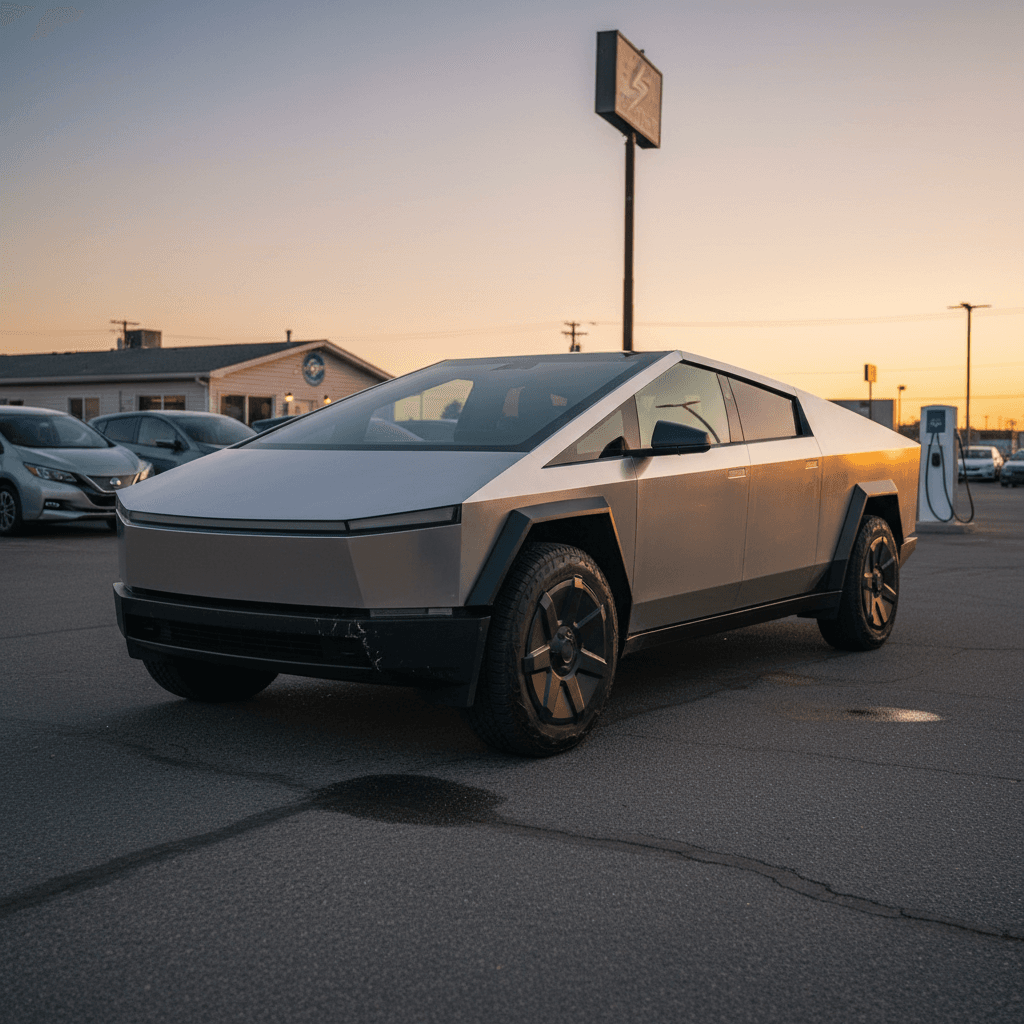
If you’re eyeing a Tesla Cybertruck in 2026, new or used, you’re stepping into one of the most polarizing vehicles on the market. A solid Tesla Cybertruck buying checklist is the difference between landing an iconic electric truck that fits your life and inheriting someone else’s expensive experiment.
Context: What’s happening with Cybertruck now
Below is a step‑by‑step Cybertruck checklist you can literally work through from first idea to final signature. It’s written for shoppers who want to understand what to check, what to ignore, and where the real risks and value are, especially on the used market.
Why you need a Cybertruck buying checklist in 2026
- Fast-changing trims and pricing: Tesla has already shuffled Cybertruck configurations and prices multiple times, and short‑term “special” trims or discounts come and go.
- Unusual depreciation: Early Foundation Series trucks that sold around $100,000 have seen trade‑in estimates in the mid‑$60,000s after roughly a year of use, far steeper than a typical full‑size pickup.
- New technology risks: Steer‑by‑wire, rear‑steer, stainless body panels, new battery packaging, and evolving software all introduce unknowns on long‑term durability and repair costs.
- Wide spread in use cases: A weekend toy used for Cars & Coffee is a very different proposition from a daily work truck that tows in all weather. You need to know which one you’re actually buying.
Don’t buy on looks alone
Step 1: Clarify how you’ll use a Cybertruck
Before you touch specs or pricing, pin down what you actually expect this truck to do. The Cybertruck can be a fast lifestyle toy, a real work truck, or an inefficient daily commuter, depending on how you use it.
Use‑case checklist: is a Cybertruck even the right tool?
1. Define your primary job for the truck
Is it mostly <strong>commuting</strong>, <strong>towing</strong>, <strong>off‑roading</strong>, <strong>light home‑center runs</strong>, or purely a <strong>statement piece</strong>? If towing or off‑roading dominates, you’ll care more about powertrain choice, tires, and suspension than software tricks.
2. Estimate your real daily mileage
Look at a normal week: how many miles per day, and how often do you take 200+ mile trips? This will determine whether Cybertruck range is comfortable or constantly stressful, especially in cold climates or with a bed full of gear.
3. Be honest about towing & payload
Do you actually tow 7,000+ pounds or is that aspirational? Cybertruck range drops sharply with heavier trailers and higher speeds. If heavy towing is rare, you might be better off renting a gas truck for those few weekends.
4. Think about where it will live
Do you have a <strong>garage or driveway</strong> that will physically fit a full‑size truck? Do you have or can you add Level 2 charging (240 V)? Apartment or street parking can make daily EV truck ownership far less convenient.
5. Map your local charging options
Pull up charging apps and Tesla’s map. Are there Superchargers and DC fast chargers along your regular routes? The Cybertruck’s large battery means charging at slow Level 2 public stations can take a long time.
Quick gut‑check
Step 2: Choose the right Cybertruck trim and options
Trims and names have already evolved, but the big decisions boil down to motor count, range, and feature content. On the used market, you’ll also see early Foundation Series trucks with bundled options and special badging.
Simplified Cybertruck trim comparison (for checklist purposes)
Exact specs and prices change frequently, but this table captures the key trade‑offs you should think about when comparing Cybertruck configurations, especially used examples.
| Trim / Package | Typical role | Performance feel | Approx. range (EPA estimate) | Towing focus | Feature level |
|---|---|---|---|---|---|
| Dual‑motor AWD (value‑oriented) | Everyday use, light towing | Quick, not outrageous | Around low‑to‑mid‑300s miles | 7,500 lbs class | Some premium features deleted to cut cost |
| AWD with premium/air suspension | All‑rounder, mix of work and play | Very quick | Around mid‑300s miles | Up to 11,000 lbs on some builds | Adaptive suspension, nicer interior, more tech |
| Cyberbeast (tri‑motor) | Halo truck, max performance | Supercar‑quick | Around ~300 miles | Up to 11,000 lbs | Most loaded, most expensive to buy and insure |
| Foundation Series (bundle) | Early‑adopter special | Depends on base trim | Similar to underlying trim | Same as base | Includes FSD, Powershare gear, badging, accessories |
Always confirm the specific configuration in the listing or build sheet; early trucks may combine features differently than current order pages.
Trim‑choice questions to answer
Use these prompts while you compare listings or Tesla’s configurator.
Do you really need Cyberbeast power?
The tri‑motor Cyberbeast accelerates like a supercar, but you pay for it in upfront price, insurance, and efficiency. If you’ll never use that power, a dual‑motor AWD may be the smarter long‑term choice.
How often will you max out towing?
If your trailer rarely exceeds 5,000–7,000 lbs, you don’t need an 11,000‑lb rating. More power and bigger tires often mean more energy consumption and shorter real‑world range while towing.
Comfort vs. work‑truck interior
Some value‑focused trims trade leatherette, ventilated rear seats, and premium audio for lower price. Decide whether you’re okay with a more utilitarian cabin in a truck that still costs luxury money.
Software & driver‑assist expectations
Does the truck include Enhanced Autopilot or Full Self‑Driving (Supervised)? Those packages affect value for some buyers, but don’t treat them as guaranteed future robotaxis. View them as driver‑assist, not autonomy.
Pro move: capture the original build sheet
Step 3: Run the numbers – price, depreciation, and total cost
Cybertruck value reality check
The short version: exciting trucks that launch hot often fall hard when the speculative buyers move on. That’s exactly what happened with early Cybertrucks. As a buyer in 2026, that’s actually good news, if you buy at today’s normalized prices rather than yesterday’s hype numbers.
Cost checklist: before you fall in love with a specific truck
1. Compare asking price to today’s new build
Look up what a similarly equipped new Cybertruck would cost today (after destination fees). If the used example is close in price, it needs to offer either significantly better specs or meaningful extras (like FSD or range extender) to make sense.
2. Estimate realistic resale in 3–5 years
Assume depreciation at least as aggressive as a luxury pickup, possibly steeper as the market matures. If a $75,000 truck loses 40% in five years, can you live with that $30,000 loss?
3. Price tires, brakes, and insurance
Check quotes for <strong>insurance on a Cybertruck</strong> in your ZIP code. Also price replacement 35‑inch tires and potential wheel repair; they’re far more expensive than commuter‑car rubber.
4. Account for home charging install
If you don’t already have a 240 V outlet or wall connector, get quotes from licensed electricians. A clean install can run from a few hundred to several thousand dollars depending on panel capacity and distance.
5. Compare to other EV trucks and SUVs
Put the Cybertruck next to alternatives: Rivian R1T, F‑150 Lightning, or even a large electric SUV. If you strip away the styling, does the value still hold up for how you’ll actually use it?
Avoid the hype‑cycle trap
Step 4: Check battery health and charging fit
Cybertruck batteries are large and expensive. While Tesla’s battery management is generally conservative, heavy towing, frequent DC fast charging, and harsh climates can still accelerate wear. On a truck this costly, you want real data, not guesses.
Battery & charging: what to check
Use this as your Cybertruck energy checklist, especially on used trucks.
1. Documented battery health
Ask for recent battery‑health documentation if available. A third‑party diagnostic like the Recharged Score on used EVs provides a quantified look at pack capacity and charging behavior rather than you trying to reverse‑engineer it from guesswork.
2. Home charging capability
Confirm whether you’ll charge primarily at home on Level 2. A Cybertruck can easily consume 50–80 kWh per day if you have a long commute or tow, slow charging will get old fast.
3. Supercharging access & habits
Check how the previous owner charged: mostly home AC, or heavy DC fast‑charging? Frequent DC charging isn’t automatically bad, but a pack fast‑charged from low state‑of‑charge daily deserves closer scrutiny.
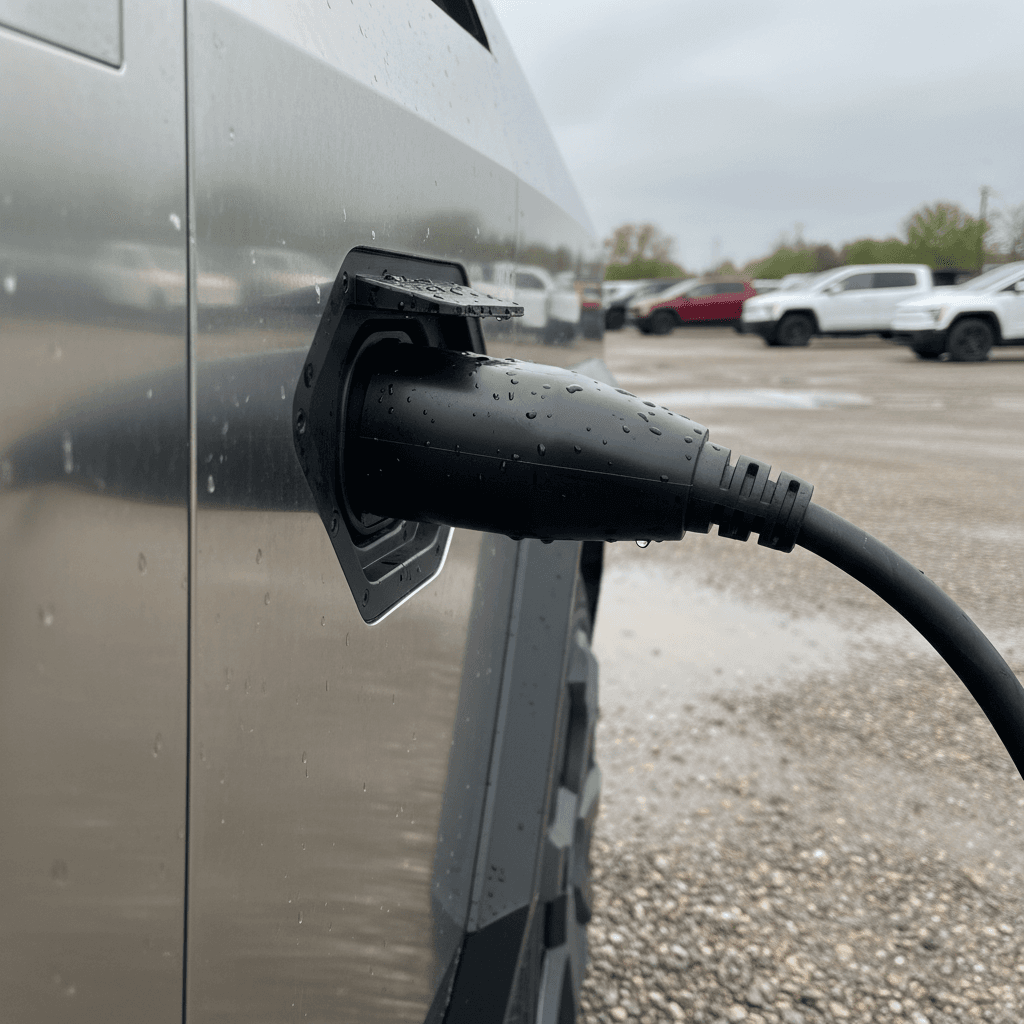
4. Connector & adapter needs
Cybertruck uses Tesla’s NACS connector. In 2026 more public chargers support NACS directly, but you may still want adapters depending on your region and which networks you use.
5. Real‑world range vs. your routes
Take your longest regular trip, subtract at least 25–30% for winter, towing, or high speeds, and see if the remaining range works. Trucks are especially sensitive to aero drag and weight.
6. Backup power & bidirectional use
If you plan to use Cybertruck as a home backup battery, verify that the truck and your house are configured correctly and that any required hardware actually comes with the sale.
How Recharged helps with battery questions
Step 5: Inspect the stainless-steel body and structure
The Cybertruck’s exoskeleton of cold‑rolled stainless steel is part of its appeal, and one of its biggest inspection challenges. Stainless doesn’t dent, repair, or age like painted steel or aluminum. You want to identify issues now, because panel replacement can be eye‑wateringly expensive.
Stainless‑steel inspection checklist
1. Panel alignment and gaps
Walk the truck in good daylight. Look closely at panel gaps around doors, tailgate, frunk, and glass. Some early trucks had inconsistent alignment from the factory; severe misalignment can indicate crash repairs or structural issues.
2. Dings, creases, and sharp‑edge damage
Stainless will show <strong>creases and sharp dents</strong> that are far harder to fix than small dings in painted metal. Light grazing and “brushed” marks might be cosmetic, but deep creases near edges may require full panel replacement.
3. Surface finish and polishing marks
Cybertruck’s finish is directional. Look for <strong>patchy brushing</strong>, swirl marks, or areas where an owner tried to DIY sand or polish damage. These can be permanent and may matter to you more than to them.
4. Corrosion signs at edges and fasteners
True corrosion on stainless is rare but not impossible, especially around fasteners or damage that pierced protective coatings. Check wheel arches, bed edges, and any drilled accessory mounts.
5. Glass and roof inspection
The large windshield and roof glass aren’t cheap. Look for chips, cracks, or aftermarket tint film issues. Ask specifically about <strong>insurance glass claims</strong> and see documentation of any replacements.
6. Underbody & suspension components
Even though the outer shell is stainless, much of the underbody and suspension is conventional steel and aluminum. Inspect for rust, off‑road abuse, or poorly repaired damage, ideally on a lift.
Body work on Cybertruck isn’t like a normal pickup
Step 6: Drive quality, software, and safety systems
With Cybertruck, the driving experience is as much about software and steering feel as it is about raw power. You’re dealing with steer‑by‑wire, rear‑steer, heavy curb weight, and a rapidly evolving software stack. Your test drive should be structured, not just a quick blast down the freeway.
On‑road test drive checklist
- Low‑speed maneuvering: In a parking lot, check steering feel, turning circle, and any odd noises at full lock.
- Ride quality: Drive over patched pavement and speed bumps. Note any clunks, rattles, or harshness, especially on trucks with big off‑road tires.
- Straight‑line tracking: On a straight road, the truck should track true without constant correction. Persistent pull can mean alignment or tire issues.
- Braking behavior: Do a few firm stops from moderate speeds. Pedal feel should be consistent; listen for grinding or vibration.
Software & safety‑system checklist
- Driver‑assist features: Confirm which Autopilot/FSD options are active and functioning. Test lane‑keeping and adaptive cruise on a suitable road.
- Warning lights: No persistent alerts should remain on the cluster after startup.
- Infotainment responsiveness: The center screen should be snappy with no ghost touches or crashes during your drive.
- Camera and sensor health: Check that all cameras are clear and that parking assist behaves normally.
Check recall and service campaign status
Step 7: Verify history, title, and warranty
Because Cybertruck is still relatively new, nearly every used example will be on its original warranties. That’s good, if the paperwork and history are clean. You’re looking for alignment between what the seller says, what Tesla’s records show, and what third‑party reports reveal.
History & paperwork checklist
1. Title status & ownership trail
Confirm the truck has a clean title with no salvage, rebuilt, or lemon‑law branding. Ask how many owners it has had and why it’s being sold now.
2. Service records and repair history
Ask the seller to share Tesla service invoices and any body‑shop receipts. Long or repeated service visits for the same issue are a red flag, especially around steering, suspension, or high‑voltage components.
3. Warranty coverage remaining
Document the in‑service date and remaining coverage on the <strong>basic 4‑year/50,000‑mile warranty</strong> and the <strong>8‑year battery and drive unit warranty</strong>. Check for any notes about voided coverage due to mods or damage.
4. Accident and damage reports
Pull multiple history reports if possible, and cross‑check them with what you see on the truck. Remember that not all repairs show up on Carfax‑style services, trust your inspection more than the paperwork.
5. Software entitlements
Confirm in writing which software features transfer with the vehicle, Autopilot, FSD (Supervised), connectivity level, and get screenshots from the Tesla account or screen.
Why marketplace choice matters
Step 8: Decide where to buy and how to finance
Cybertrucks trade hands through Tesla’s own inventory, franchised and independent dealers, and private‑party listings. Each path has different risks and advantages. Financing and trade‑in strategy matter too, because depreciation can punish buyers who over‑stretch.
Where to buy your Cybertruck: options at a glance
Match the purchase channel to your risk tolerance and how much legwork you want to do.
Tesla direct (new or inventory)
- Simple, app‑driven buying experience.
- Factory warranty and latest hardware.
- Less room for negotiation; you accept Tesla’s pricing and trade‑in offers.
Dealers & used‑EV retailers
- More variety in price and mileage.
- Potential for certified inspections or limited warranties.
- Quality varies widely, do your homework on the seller.
Private‑party sellers
- Often the lowest initial prices.
- Best if you’re comfortable arranging inspections and handling paperwork.
- No baked‑in protections; you carry the risk if something’s missed.
Financing checklist
- Get pre‑qualified with at least two lenders before you start test‑driving.
- Compare EV‑specific loan programs that may offer better terms for cleaner vehicles.
- Avoid stretching to the longest possible term just to fit the payment; that’s how rapid depreciation becomes painful.
- Run scenarios with conservative resale value after 3–5 years so you’re less likely to be underwater.
How Recharged can simplify the process
Recharged is built specifically around used EVs. You can:
- Browse Cybertrucks and other EV trucks with transparent battery health data via the Recharged Score.
- Get financing options tailored to used EVs, fully online.
- Trade in your current vehicle or get an instant offer.
- Have a vehicle delivered nationwide or visit the Recharged Experience Center in Richmond, VA.
Cybertruck buying checklist: quick recap
The Cybertruck is unlike any other pickup on the road, and that’s exactly why you need a disciplined, written checklist. When you strip away the stainless‑steel drama, what you’re really evaluating is whether this particular truck, at this particular price, fits your daily life, charging reality, and risk tolerance.
- Confirm your use case (commuter, toy, tow rig, work truck).
- Choose a trim and motor configuration that matches how you’ll actually drive.
- Run realistic cost and depreciation numbers, not hype‑era resale values.
- Get objective battery‑health data and make sure your charging setup is ready.
- Inspect the stainless body, glass, and underbody in detail, or pay a pro to.
- Test drive quality, steering, and software with a structured drive, not a quick spin.
- Verify title, warranty, and service history against what you see on the truck.
- Pick a purchase channel and financing strategy that keep you flexible if values move again.
Next step: put the checklist to work
Ready to find your next EV?
Browse Vehicles