If you search for “Rivian R1S things I wish I knew”, you’ll find the same pattern: owners absolutely love this big electric SUV, and still have a long list of “I wish someone had told me…” moments. The R1S is quick, capable, and charming, but it also has quirks, costs, and compromises that don’t show up in the glossy photos or online configurator.
Who this guide is for
Why Rivian R1S buyers have both regrets and big smiles
The R1S is a rare bird: a three‑row, off‑road‑capable, all‑electric SUV with supercar‑quick acceleration. On paper, it can tow, conquer a trail, and shuttle kids to school in silence. In practice, it also means living with a heavy, wide vehicle that depends on public fast charging when you leave your home base, and with a young automaker that’s still ironing out hardware and software issues.
- You’ll grin every time you floor it onto a highway entrance ramp.
- You may swear the first time your DC fast‑charging session crawls at 40 kW on a busy station.
- Your kids will love the glass roof and screens; your third‑row passengers might not love the tight foot room.
- Over‑the‑air updates can transform the car for the better, but can also introduce new quirks.
Mindset matters
Charging lessons I wish I’d learned before delivery
Most new R1S owners underestimate how important their home charging setup is. Yes, you can live on public charging. No, you probably won’t enjoy it. Plan your home solution before your Rivian shows up, not after your first desperate 11 p.m. search for a working DC fast charger.
Home charging: 5 things to get right early
1. Get a real 240V circuit installed
A dedicated 40–60 amp, 240V circuit with a NEMA 14‑50 outlet or hard‑wired wall charger turns your R1S into a “wake up full” EV. Budget for a licensed electrician, don’t DIY high‑voltage work.
2. Match charger speed to your panel
The R1S can happily pull robust Level 2 power, but your home electrical panel may be the limiting factor. Oversizing a charger on an undersized panel doesn’t make overnight charging faster, just less safe.
3. Understand your local rates
Many utilities offer cheaper overnight EV rates. Schedule charging in the Rivian app or vehicle to start during off‑peak hours and save real money over a year or two.
4. Have a Plan B for apartments or townhomes
If you can’t install home charging, map out Level 2 options near work, gyms, or grocery stores. In that world, the R1S works best for owners willing to treat charging as part of their weekly routine.
5. Know when to stop at 70–80%
For daily driving, you don’t need 100%. Stopping around 70–80% improves battery longevity and shortens charging times, especially important if several EVs share the same charger bank.
Don’t skip the home‑charging math
DC fast charging: The curve no one reads before road trips
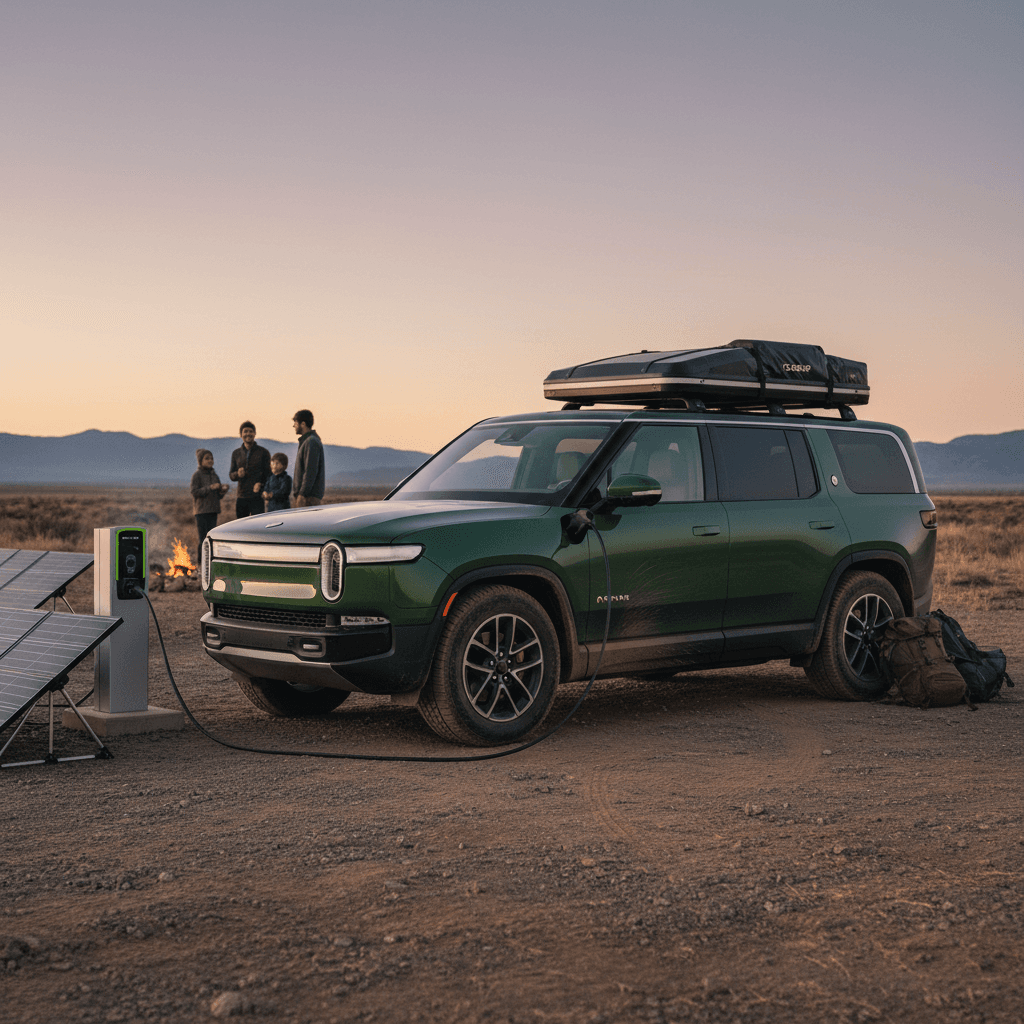
On Rivian’s site, you’ll see claims like “up to 150 miles in about 20 minutes” on DC fast charging. That’s achievable under good conditions, but charging speed is not a straight line. The R1S charges quickly from low states of charge, then tapers off as the battery fills. That first road trip is often where owners say, “I wish I’d understood the curve.”
R1S DC fast‑charging, in plain English
Road‑trip charging strategy
There have also been documented cases of fast‑charging module failures and DC charging faults on some R1S vehicles, often resolved with hardware replacement under warranty. Issues aren’t common enough to define the vehicle, but they’re another reason to test DC fast charging a few times close to home before you bet a family vacation on it.
Real-world range vs the window sticker
Official range estimates look impressive. Real life is messier. Weight, wheel size, speed, temperature, and roof accessories all take their cut. Many owners discover their first winter or their first 80‑mph highway run comes with more stops than they expected.
How the R1S really behaves on the road
A rough guide, not a lab test
Cold‑weather commuting
In freezing temps, expect 20–30% less range, sometimes more with short trips where the battery never fully warms up.
Use preconditioning while plugged in and rely on seat and wheel heaters instead of blasting cabin heat.
Highway road trips
Set cruise at 75–80 mph with a loaded R1S and you’ll typically see range closer to the mid‑200s miles, not the brochure high‑water mark.
Roof racks, cargo boxes, and bikes can shave off another chunk.
Set your personal range rule
Size, maneuverability, and parking: Reality check
Photos don’t quite convey how big and heavy the R1S is. It’s shorter than a full‑size SUV but still a substantial block of metal and battery. Around town, you’ll feel its width in narrow parking garages and old city streets. On the flip side, the high driving position and tight turning circle (for its size) make it easier to place than you’d think once you adjust.
Where the size helps
- Commanding view: The upright seating position and big glass give you a truck‑like view without the floaty feel.
- Stability: The battery’s low center of gravity makes the R1S feel planted in fast sweepers and crosswinds.
- Off‑road room: Ground clearance and short overhangs are genuinely useful on rutted roads or trailheads.
Where the size hurts
- Tight garages: Narrow urban garages and older parking decks can feel claustrophobic, especially with big mirrors.
- Weight: This is a very heavy SUV; you’ll feel it over sharp potholes and speed bumps.
- Towing realities: Hook up a heavy trailer and highway range drops fast, plan for frequent charging stops.
Third row and cargo space: What families wish they knew
If you’re coming from a Suburban, Expedition, or minivan, the R1S’s interior packaging may surprise you. It’s a genuinely usable three‑row, but it’s not a magic TARDIS inside. Legroom and cargo change dramatically depending on how you configure the seats.
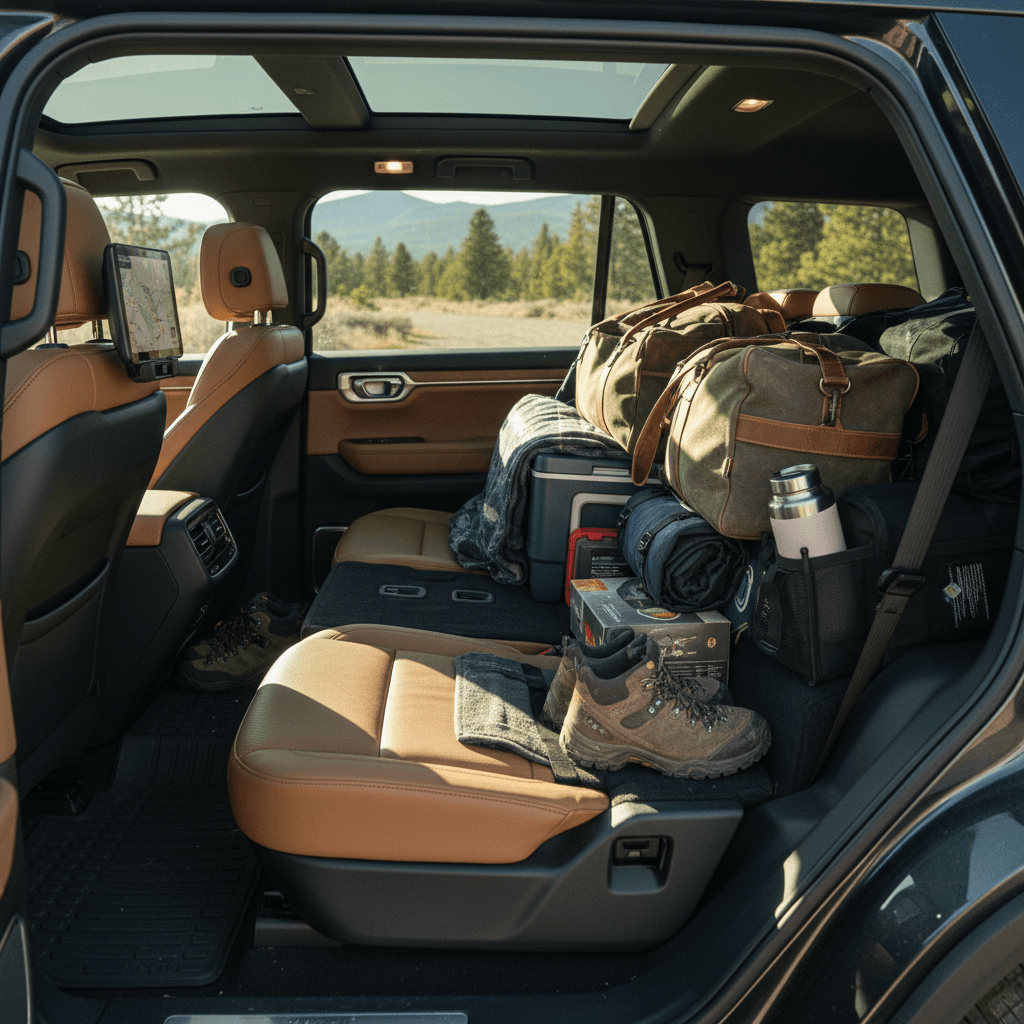
R1S seating vs. cargo: What actually fits
Approximate use‑case guide to help you picture your own family and gear.
| Seating configuration | Who fits comfortably | Cargo reality | Best use case |
|---|---|---|---|
| All 3 rows up (7 seats) | 4 adults + 2–3 kids | A grocery run or a few soft duffels behind the third row, plus frunk storage | School runs, dinner out, short local trips |
| Third row 50/50 folded | 4–5 passengers | Suitcases and strollers fit more easily with one side folded; frunk adds overflow | Road trips with one or two kids in back |
| Third row folded flat | 4–5 adults | Large, flat cargo floor handles bikes with wheels off, big dogs, camping gear | Home‑improvement runs, long road trips with fewer passengers |
Think less in cubic‑feet numbers and more in real‑world scenarios.
Bring your actual car seats to a test drive
Ride quality and noise: It’s not a soft lux barge
Air suspension and adaptive dampers sound like a guarantee of cloud‑soft ride quality. In the R1S, the tuning leans more toward sporty and controlled than pillowy. On smooth pavement, it feels solid and confident. On broken city streets, sharp edges and expansion joints can thump more than you’d expect from a six‑figure luxury SUV.
How driving modes change the feel
Experiment early so the SUV feels the way you want it to.
All‑Purpose
Your default. A balance of response and comfort. If the ride feels too firm, try lowering the damping setting within this mode.
Sport
Fun on a twisty road, but almost always too firm for daily family duty. Many owners rarely use it outside occasional spirited drives.
Off‑Road / Soft Sand
Cranks up ride height and alters damping. Great for rough dirt or snow, but added height can make loading kids and cargo harder.
Cabin noise expectations
Software: Magic and misfires
Rivian leans hard into over‑the‑air (OTA) updates, and that’s both a superpower and a source of frustration. On the plus side, owners have seen real gains in DC fast‑charging speed, range optimization, and new features like improved trip planning and drive‑mode customization. On the minus side, each big update has the potential to introduce new bugs, anything from minor Bluetooth weirdness to camera or infotainment glitches.
Software you’ll love
- Clean, modern UI: The center screen and driver display feel fresh and intuitive once you learn the layout.
- Frequent improvements: Charging curves, driver‑assist behavior, and climate controls have all seen meaningful improvements via OTA updates.
- App integration: Remote preconditioning, charge scheduling, and trip stats are genuinely useful day to day.
Software that may annoy you
- Camera & sensor hiccups: Some owners report intermittent glitches that often need a reboot or service visit.
- Slow wake‑up: The SUV can take a few seconds to “wake” and unlock, especially after deep sleep, which feels odd if you’re used to instant response.
- Changing behavior: After an update, your favorite feature may behave slightly differently, and you’ll need to re‑learn it.
Treat updates with respect
Driver assistance: What it is and what it isn’t
Rivian’s highway and lane‑keeping systems are competent but still evolving. They’re designed as driver assistance, not as a self‑driving substitute, something highlighted by recent software recalls around Hands‑Free Highway Assist behavior and lead‑vehicle detection. The tech can absolutely reduce fatigue on long drives, but you still need eyes up and hands ready.
- Know exactly what your software version supports and what it doesn’t; features can change over time.
- Use driver‑assist features first on familiar roads, in good weather, before trusting them in complex conditions.
- Remember that any camera or radar obstruction, snow, mud, heavy rain, can degrade performance or knock the system offline.
Never treat it as self‑driving
Reliability, recalls, and ownership hassles
Rivian is still a young automaker. That means you’re getting cutting‑edge tech, and living through some growing pains. Alongside normal wear‑and‑tear, owner forums have chronicled issues like repeated half‑shaft replacements, suspension component wear, water leaks, DC fast‑charging hardware faults, and rattles that require multiple service visits to chase down. There have also been significant recalls, including for rear‑suspension service procedures and driver‑assistance software behavior.
How to protect yourself as an R1S owner
Especially important if you’re buying used.
Track service history
Keep digital and paper copies of every service visit. If you’re shopping used, ask for a complete service record and recall status printout.
Know your warranty
Understand what’s covered and for how long, battery, drive units, suspension, electronics. Consider extended coverage if you drive high miles.
Test before you buy (or after updates)
After major service or software changes, test DC fast charging, driver‑assist features, camera views, and suspension behavior within a week.
When a used R1S helps you
Costs you don’t see in the configurator
The online price is just the opening bid. Before you fall in love with a particular spec, factor in the stuff that doesn’t show up in big type on Rivian’s site.
Buying a used Rivian R1S: What to check first
Shopping used can be the smartest way into an R1S, as long as you’re picky. Because this is a tech‑heavy SUV from a young brand, you’ll want to go deeper than a quick test drive around the block.
Used R1S pre‑purchase checklist
Make these non‑negotiable before you buy.
1. Battery health and DC fast charging
Ask for a verified battery‑health report and, if possible, observe a DC fast‑charge session from about 10–60%. Watch for error messages and unusually low charge rates.
At Recharged, every used EV gets a Recharged Score with battery diagnostics so you don’t have to guess.
2. Suspension, half‑shafts, and leaks
Listen for clunks or clicks on low‑speed turns, feel for vibration under acceleration, and check carpets (especially driver’s footwell) for any sign of water intrusion.
Review service records for repeated half‑shaft, damper, or A‑arm replacements.
3. Panel fit, glass, and seals
Walk the car in good light. Check doors, tailgate, and glass for alignment issues, uneven gaps, or wind noise on a highway test drive, signs of rushed early production or collision repairs.
4. Software status and feature set
Confirm the vehicle is on a current software version and that all driver‑assist and camera systems function properly. Pair your phone, test Bluetooth, and run through the main menus.
How Recharged can simplify this
FAQ: Rivian R1S things owners ask late at night
Rivian R1S: Things I wish I knew – FAQ
Final thoughts: Is a Rivian R1S worth it?
If you just want an invisible appliance to haul kids and Costco hauls, the Rivian R1S probably isn’t your SUV. It demands a bit more from you: planning for home charging, learning its software rhythms, and accepting the occasional quirk or service visit that comes with driving something this new and ambitious.
But if the idea of a three‑row, all‑electric adventure rig that can tackle a snowstorm, a dirt trail, and a cross‑country road trip in near silence makes your heart beat faster, the R1S can be deeply satisfying. The key is going in with your eyes wide open, about charging curves, range realities, ride feel, and ownership costs, so the only surprises are the good kind.
And if you decide a used R1S is the smarter move, leaning on a marketplace built for EVs, like Recharged, with its Recharged Score battery‑health diagnostics, fair‑market pricing, financing, trade‑in options, and nationwide delivery, can turn all of these “things I wish I knew” into a confident, informed purchase instead.