The Mercedes EQE is, at its best, a quiet, deeply comfortable electric limo with S‑Class vibes and a guilty conscience about physics. But if you’re reading about Mercedes EQE common problems and fixes, you’ve probably heard the other half of the story: software gremlins, charging drama, warning lights and the occasional “why won’t this very expensive car wake up?” moment.
Quick take
Mercedes EQE reliability: what’s actually going wrong?
Mercedes launched the EQE sedan in the U.S. for the 2023 model year, followed by the EQE SUV. Mechanically, they share a lot with the bigger EQS: a large battery, dual‑motor options, and a whole city’s worth of sensors and software. That family resemblance matters, because many EQE problems mirror issues seen on the EQS: electrical faults, software updates that break as much as they fix, and a grab‑bag of ADAS weirdness.
Most common Mercedes EQE problem categories
What owners and service departments see again and again
Battery & electrical
- 12V battery failures or deep discharge
- Occasional high-voltage battery drain complaints
- Fuse and main power distribution recalls on 2023–2024 cars
Charging & hardware
- Home charger communication errors
- Public DC fast charging handshakes failing
- Issues when using third‑party adapters
Software & ADAS
- Frozen or laggy infotainment screens
- Random warning messages and chimes
- Overactive lane‑keeping or parking assist
Underneath the drama, the core electric drivetrain has so far proved reasonably robust. Where EQE owners get burned is in the connective tissue between systems: the 12V network that wakes the car up, the fuses that keep current flowing, and the code that’s supposed to orchestrate it all without panic attacks.
If you’re shopping used
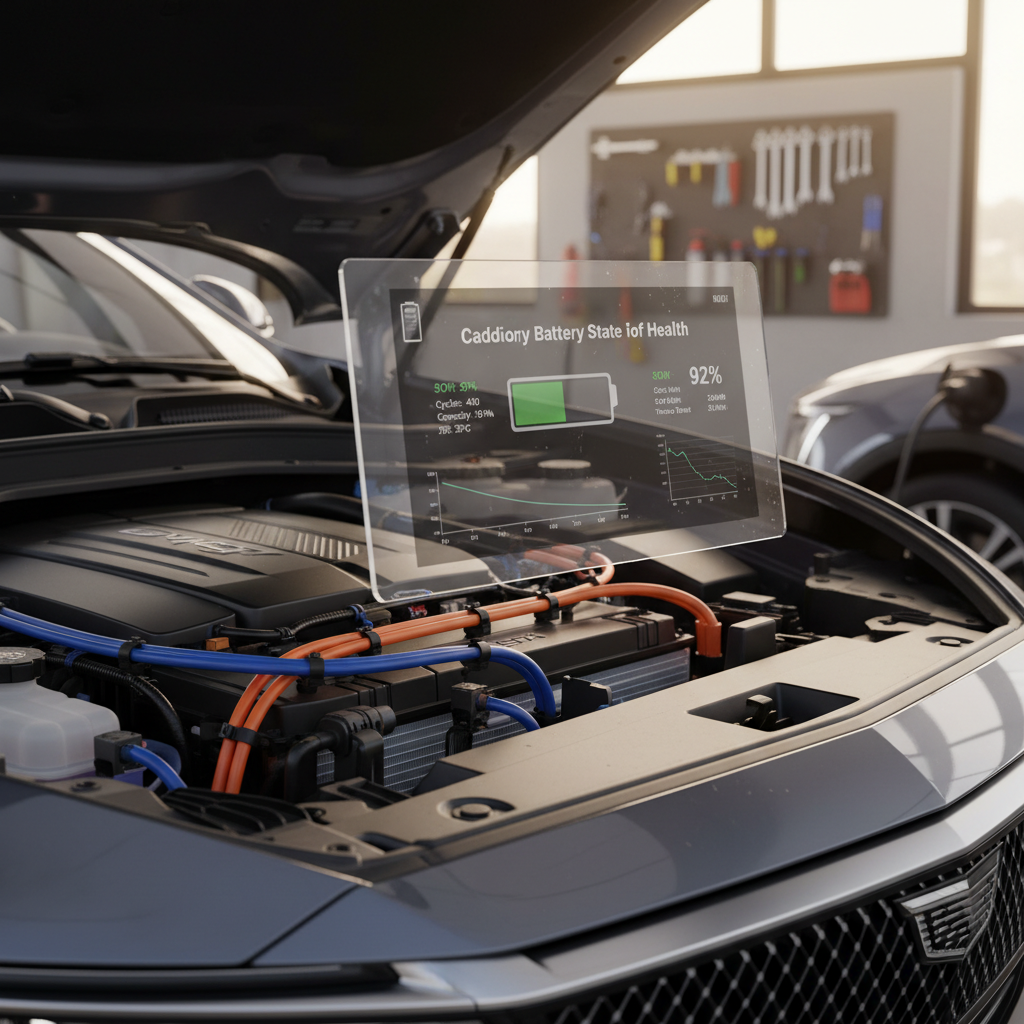
High-voltage battery, range and phantom drain
The EQE’s big lithium‑ion pack has not generated widespread catastrophic failure stories the way early EVs sometimes did. Instead, owners are much more likely to complain about range not matching expectations or the car quietly losing charge while parked, what people call phantom drain.
- Normal overnight loss: 0–2% over several days when the car is allowed to sleep, especially in mild temperatures.
- Concerning drain: 5–10% per day for no clear reason, or the car using traction battery energy to keep topping up a weak 12V battery.
- Cold‑weather range hits: 20–40% less effective range in winter compared with mild weather, depending on drive profile and climate use.
When phantom drain is a red flag
DIY checks for EQE phantom drain
1. Turn off preconditioning & departure times
In the MBUX menus or Mercedes Me app, disable scheduled departure times, pre‑climate and seat heating. These can quietly wake the car on a schedule even while you’re away.
2. Stop waking the car with the app
Every time you open the app to check state of charge, you ping the car awake. If you’re compulsively checking, your EQE never truly sleeps. Try leaving it alone for a few days and compare loss.
3. Disable third‑party apps or OBD dongles
If you’ve paired the car with any non‑Mercedes tracking or logging apps, or you have an OBD dongle installed, remove them. These can keep the network alive and drain the battery.
4. Ask the dealer to test the 12V battery
A weak 12V battery can force the HV pack to act as a life‑support system, repeatedly topping it up. A dealer can load‑test the 12V and see if it’s dragging down the big pack.
5. Get the latest software and TSBs
Mercedes has quietly issued updates that tweak sleep behavior and telematics. Ask the service advisor to check for any open technical service bulletins (TSBs) for battery drain or connectivity.
12V battery problems and “bricked” EQE situations
Like almost every modern EV, the EQE still relies on an old‑school 12‑volt battery to wake the computers, release the parking pawl and close the contactors that connect the high‑voltage pack. When that 12V battery is weak or the car’s charging logic gets confused, you get the horror‑movie scenario owners describe as “my brand‑new EQE is bricked in my driveway.”
- Messages like “Malfunction – stop vehicle,” “Switch on vehicle to charge the 12V battery,” or a cluster that won’t fully boot.
- Car stuck in Park and refusing to shift into Drive even though the main battery shows plenty of charge.
- Random warning lights that disappear after a restart, only to return days later.
Why 12V issues matter so much
What to do if your EQE feels "dead"
1. Don’t keep cycling the ignition
Rapidly trying to start/restart an EQE with a weak 12V can make things worse. Give it a minute between attempts so modules can shut down cleanly.
2. Check for obvious 12V faults
If you’re comfortable, you or a roadside tech can test the 12V battery voltage under load. Anything sagging well below 12V is suspect, especially on a relatively new car.
3. Call Mercedes roadside / dealer first
EQEs are still under strong warranty coverage in 2026. Let the dealer document no‑start incidents, and don’t clear codes yourself before they can read them.
4. Ask about software and charging history
If the issue followed a home‑charger change, surge, or software update, make sure techs know. It can help them narrow down whether this is purely a 12V battery or a control module acting up.
5. For used buyers: demand 12V test results
When you’re buying a used EQE, ask for a recent 12V health report along with the high‑voltage battery report. At Recharged, that’s built into the Recharged Score so you’re not inheriting someone else’s weak link.
Charging issues: home, public and adapters
The EQE will happily drink electrons from Level 2 home chargers and DC fast chargers when everything plays nice. Where owners get into trouble is with communication errors, third‑party wallboxes and adapters, or high expectations at marginal public sites.

Common EQE charging complaints
What owners report, and what it usually means
Home charging won’t start or stops early
- Starts charging then stops after a few minutes
- Wallbox shows red error light
- EQE displays generic charging fault message
Often a handshake or wiring issue, not a dead onboard charger.
Public DC fast charge won’t engage
- "Charging station fault" or "try again" messages
- Car limited to very low kW at high states of charge
- Session keeps dropping at the same stations
Many times the culprit is the station, not your EQE.
Be careful with adapters and legacy Tesla wallboxes
Step-by-step EQE charging troubleshooting
1. Reboot the charger and the car
Unplug the connector, power‑cycle the wallbox if possible, then lock the EQE and let it sit for 5–10 minutes so modules can go to sleep. Then retry a session.
2. Try another station (and another network)
If your EQE refuses to DC fast charge at one brand’s site, try a different provider. If it charges fine elsewhere, log a complaint with the station operator.
3. Check your home circuit and wiring
For home charging issues, verify breaker size, wiring gauge and that you’re not overloading a marginal circuit. A licensed electrician familiar with EVSE should sign off on the install.
4. Update car software before blaming hardware
Mercedes has pushed charging‑related fixes via over‑the‑air updates and dealer visits. Make sure your EQE is on current software before chasing exotic hardware failures.
5. For consistent errors, get logs pulled
Persistent charging faults should be documented by a dealer who can extract error codes and communication logs from the car. This is especially important while the car is still under warranty.
Software bugs, laggy infotainment and over-the-air updates
If there’s a single thread running through Mercedes EQE problems, it’s software. The MBUX interface can be gorgeous and intuitive; it can also freeze, forget settings, drop CarPlay, or light up the cluster like Times Square after a poorly timed update.
Typical EQE software complaints
- Slow boot‑up of the main screen on cold mornings
- Random reboots of the center display while driving
- Driver‑assist settings resetting themselves between key cycles
- Inconsistent CarPlay / Android Auto connection quality
- Warning chimes with no obvious fault
Simple mitigations
- Perform a soft reset of MBUX (long‑press the home button or follow the manual’s procedure).
- Delete and re‑pair your phone if connectivity is weird.
- After major updates, re‑check every driver‑assist setting; defaults may change.
- Keep a log of dates and behaviors, dealers take repeatable patterns more seriously.
Updates can fix…and break
ADAS quirks: lane-keeping, sensors and alerts
EQE owners enjoy a deep bench of driver‑assistance features: adaptive cruise, lane‑centering, blind‑spot intervention, automated parking. They also report that these systems can be overprotective, jumpy or occasionally just wrong, especially in bad weather or messy lane markings.
- Lane‑keeping that tugs decisively at the wheel during gentle lane changes without a turn signal.
- Park Assist prompts or tries to intervene when you’re clearly not parking.
- Random camera obstruction or sensor warnings when lenses are clean.
- ADAS features temporarily disabled after heavy rain or snow.
Tuning your EQE’s driver assistance to your taste
When ADAS behavior crosses the line from annoying to unsafe
1. Document with video if possible
If the car yanks the wheel or brakes unexpectedly, safely capture dashcam or phone video and note conditions. This is gold for dealer techs and, if necessary, safety investigations.
2. Check for misaligned cameras or sensors
After any minor bump or windshield replacement, ADAS sensors may need recalibration. Don’t assume they’re fine just because the car isn’t complaining yet.
3. Clean and inspect sensors yourself
Road grime, ice and even aggressive wax can cover radar and camera apertures. A quick clean can cure a surprising number of phantom warnings.
4. Ask about software fixes and TSBs
Dealers often have internal guidance on ADAS behavior tweaks that never make headlines. Ask explicitly whether there are ADAS‑related service bulletins for your VIN.
Suspension, brakes and ride comfort complaints
The EQE tries to be both a high‑speed German autobahn tool and a two‑and‑a‑half‑ton electric luxury cocoon. Sometimes those missions clash. Owners most often mention tire wear, brake feel and low‑speed ride quality rather than outright hardware failures.
Physical feel issues EQE owners report
Not always ‘problems’, but worth knowing about
Firm low-speed ride
Rear tire wear
Grabby or glassy brakes
Simple ways to keep the EQE feeling right
Key recalls affecting the Mercedes EQE
Because the EQE shares electrical architecture with combustion‑engine models, some big recalls have hit a whole family of Mercedes products at once. If you own, or are considering, a 2023–2024 EQE sedan or SUV, it’s crucial to confirm that recall and campaign work has been completed.
Major recall themes touching EQE models (2023–2024)
Always run a VIN check; this table is a high‑level overview, not a complete list.
| Issue category | What’s affected | Typical symptoms | Dealer remedy |
|---|---|---|---|
| Main fuse / power distribution | Certain 2023–2024 EQE and EQS models | Potential loss of drive power, dark instrument cluster, or safety systems losing power | Replacement of main fuse box or affected fuses |
| Electrical system / 80A fuses | Mixed Mercedes models including EQE trims | Risk of sudden power loss or, in worst cases, fire risk if fuses fail improperly | Fuse replacement and updated parts |
| Software / control modules | Selected VIN ranges across EQ family | Warning lights, no‑start situations, inconsistent ADAS behavior | Control unit software updates or module replacement if needed |
Ask a dealer or independent EV specialist to confirm that all recalls are closed before you buy a used EQE.
How to check recall status
Preventive maintenance and DIY-style fixes
One upside of EV ownership is the shallow mechanical maintenance curve: no oil changes, no spark plugs, no exhaust. The EQE, however, still rewards owners who follow a preventive care routine, especially around tires, brakes and software.
How EQE maintenance compares to a gas Mercedes
EQE preventive maintenance checklist
1. Stick to tire rotations and alignments
Rotate every 5–7k miles and align annually or after pothole hits. It’s the cheapest way to keep ride quality and range where they should be.
2. Exercise the friction brakes
A few firm stops from 45–50 mph every couple of weeks keeps rotors clean and helps prevent squeals and pulsation.
3. Keep software and maps updated
Don’t skip software updates just because the car seems fine. Many address silent bugs, charging, phantom drain, ADAS, that you’d rather never experience.
4. Protect the charging port and cable
Keep the port door clean and the seals free of grit. Avoid kinking your cable or letting it sit in standing water.
5. Store the car smartly
If you’ll park the EQE for weeks, aim for 40–60% state of charge, disable pre‑conditioning and leave it alone so it can sleep.
Buying a used Mercedes EQE: what to check first
The EQE is shaping up to be one of those cars that absolutely can make sense used, if you buy with your eyes open. Depreciation has been steep, especially around 2025 pricing resets, which means there are bargains. But you want to avoid being the second owner who discovers every unresolved bug at once.
Non‑negotiable checks
- Recall completion: All open safety recalls and campaigns closed.
- High‑voltage battery health: Verified capacity and fast‑charge behavior.
- 12V battery test: Documented, not just "it starts, so it’s fine".
- Charging test drive: Prove Level 2 and DC fast charging on real hardware.
- ADAS road‑test: Confirm no wild steering corrections or phantom braking.
How Recharged handles used EQEs
Every EQE that passes through Recharged goes through our EV‑specific inspection, including:
- Recharged Score battery health diagnostics and charge‑rate checks.
- Scan for fault codes and review of software/recall history.
- Road‑test for ADAS stability, brake feel and suspension noises.
- Transparent pricing aligned with real‑world resale trends.
We can also help with financing, trade‑ins and nationwide delivery, so you’re not limited to whatever’s on the nearest dealer lot.
Used EQE pre-purchase checklist
1. Ask for a full service printout
You want to see every recall, campaign and major repair in black and white. Gaps are more telling than the occasional fix.
2. Inspect tires and wheels closely
Uneven wear, mismatched tires or curbed wheels suggest hard use and possible alignment issues.
3. Test every charging scenario you can
At minimum, plug into a Level 2 charger for 15–20 minutes and confirm stable charging. If possible, also try a DC fast charger.
4. Check for water leaks and interior creaks
Walk the cabin after a car wash or rain. Listen for rattles on rough roads; a silent EV makes noises easier to hear.
5. Verify all driver-assistance functions
On a test drive, safely sample adaptive cruise, lane‑keeping and parking aids. Over‑aggressive or inconsistent behavior may point to calibration or sensor issues.
Frequently asked questions about Mercedes EQE problems
Mercedes EQE common problems and fixes: FAQ
Bottom line: should EQE problems scare you off?
The Mercedes EQE is not a fragile science project, nor is it the paragon of set‑and‑forget reliability Mercedes advertising might imply. Think of it as a sophisticated, software‑heavy luxury device that happens to have wheels. Its biggest weaknesses are in electrical architecture and code quality, not motors and batteries, and those weaknesses are manageable if you know where to look.
If you already own an EQE, your best defense is simple: stay current on recalls and updates, treat 12V warnings as serious, and keep an eye on charging behavior and tire wear. If you’re shopping used, pair a thorough test drive with real data, battery health, 12V status, recall history, rather than just trusting how shiny the paint looks.
That’s exactly the gap Recharged is built to fill. Every used EQE on our marketplace comes with a Recharged Score battery health report, transparent pricing and EV‑specialist guidance on financing, trade‑ins and delivery. The EQE can be a superb long‑distance companion, but it rewards informed owners. Go in with your eyes open, and it doesn’t have to be a problem child at all.