If you’ve just bought an electric vehicle, or you’re thinking about a used EV, learning how to use public EV chargers can feel intimidating. Different plugs, apps, networks, prices… it’s a lot. The good news is that once you understand a few basics, charging in public is almost as routine as stopping for gas, and it opens up road trips, weekend getaways, and worry‑free commuting.
Public charging in one sentence
Why public EV chargers matter (and when you’ll use them)
Most EV owners do the bulk of their charging at home or at work, but public EV chargers fill in the gaps. You’ll rely on them when you’re on a road trip, running low on a busy day, or if you live in an apartment or condo without dedicated parking. Understanding how they work helps you plan realistically and avoid range anxiety.
Common situations where you’ll use public chargers
Knowing your use cases makes it easier to choose the right charger and plan ahead.
Road trips and weekend travel
On longer drives, you’ll use DC fast chargers along highways and major routes to add 100+ miles in a short stop. Apps help you chain these stops together so you’re never far from your next plug.
Apartment and city living
If you don’t have home charging, you may rely on Level 2 public chargers in garages, workplaces, or retail parking lots as your main fuel source.
Top‑ups on busy days
Even with home charging, you’ll occasionally stop at a public charger for a quick top‑up, after a detour, extra errands, or bad weather that used more energy than usual.
Public EV charger types explained: Level 1, Level 2, DC fast
Public chargers fall into three broad categories. The type you choose affects how long you’ll be parked, what connector you use, and how much you’ll pay.
Public EV charger types at a glance
Use this cheat sheet to match your situation to the right type of charger.
| Charger type | Typical location | Power (approx.) | Miles of range per hour* | Best for |
|---|---|---|---|---|
| Level 1 (120V) | Older parking garages, workplaces, some hotels | 1–2 kW | 3–5 mi/hr | Overnight or all‑day parking when nothing else is available |
| Level 2 (240V) | Malls, public garages, workplaces, restaurants | 6–19 kW | 15–40 mi/hr | Shopping, dining, “park for a few hours” stops |
| DC fast charging (DCFC) | Highways, travel plazas, major retail hubs | 50–350 kW+ | ~3–10 mi/min | Road trips and fast top‑ups on the go |
Power and speed vary by vehicle and station, but this table shows typical real‑world ranges.
Quick rule of thumb
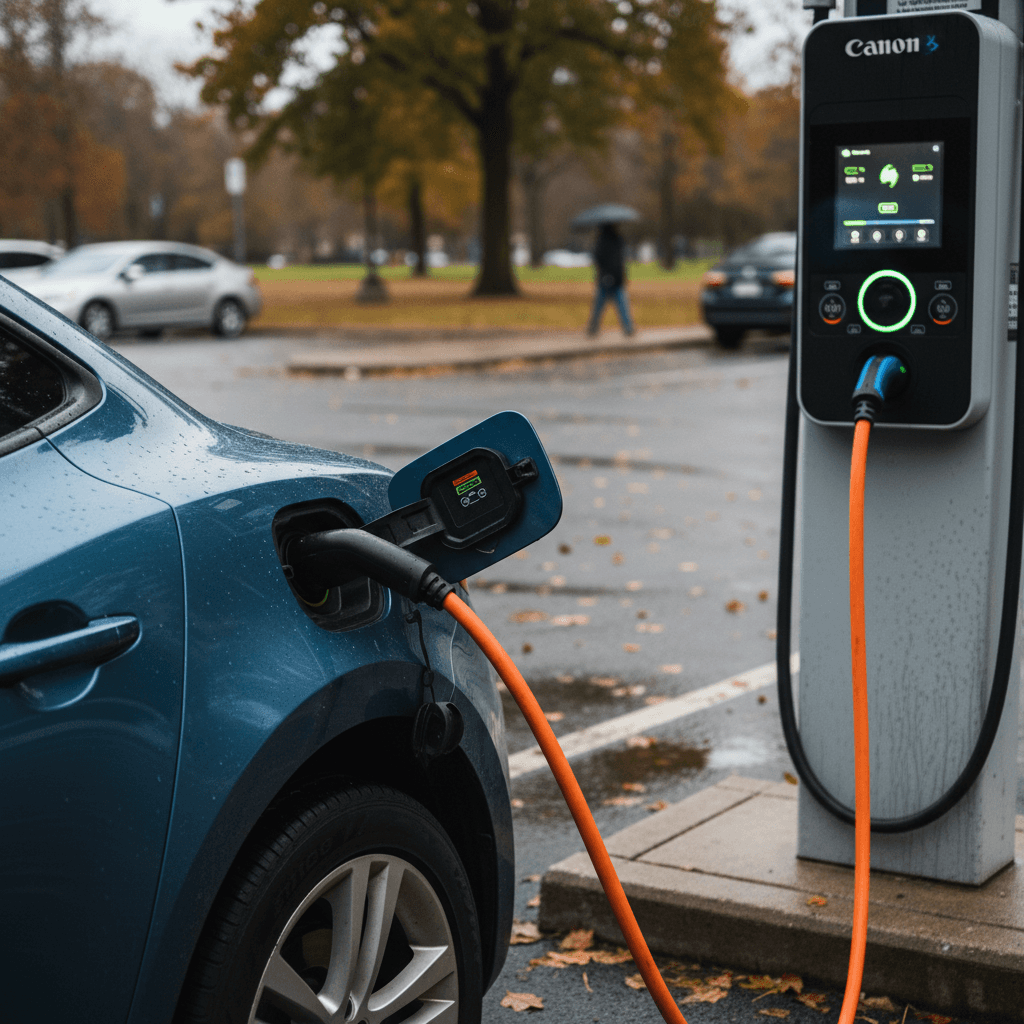
What you need before you use a public charger
Public charging prep checklist
Confirm your charging port and adapter needs
Check your owner’s manual or door‑jamb sticker for your connector type (J1772, CCS, NACS/Tesla). If your EV uses CCS or J1772 and you plan to use Tesla or other networks, you may need an adapter, many newer EVs and some stations now support the North American Charging Standard (NACS) directly.
Install at least one charging app
Download a major charging or mapping app such as PlugShare, ChargePoint, EVgo, Electrify America, or your automaker’s app. Create an account and add a payment method before you’re sitting at a charger with 5% battery.
Know your car’s max charging speed
Your EV can only draw power up to its onboard limit. If your car tops out at 100 kW, paying extra for a 350 kW ultra‑fast charger won’t make it charge faster. You’ll find this number in the owner’s manual or specs page.
Set up payment options
Public chargers may accept network apps, RFID cards, tap‑to‑pay credit cards, or even contactless wallets. Having at least two options reduces stress when a screen or one payment system isn’t working.
Bring the basics
Keep your phone charger, any adapters, and if you’re in colder climates, a pair of gloves in the car. Handling thick DC fast‑charge cables in winter is easier with warm hands.
How to find public EV chargers on your route
Finding a charger is usually the easy part, choosing the right one for your car, your schedule, and your budget takes a little more thought. Modern EVs and apps make this planning straightforward once you know what to look for.
Three reliable ways to locate public chargers
Combine these tools for the best real‑world results.
Navigation in your EV or phone
Most newer EVs and map apps (Google Maps, Apple Maps) can filter for charging stations. Many also show network, plug type, and sometimes real‑time availability. This is often your fastest option on the road.
Charging network apps
Apps from networks like ChargePoint, Electrify America, EVgo, or Tesla show their own stations with live status, pricing, and photos. They’re especially useful when you prefer a specific network or subscription rate.
Community apps like PlugShare
PlugShare and similar apps layer in user reviews, photos, and reliability notes. That helps you avoid broken stations and spot hidden chargers at hotels, parking garages, and workplaces.
Watch for filters and fine print
Step‑by‑step: Using a Level 2 public charger
Level 2 stations are the backbone of public charging, slower than DC fast, but common and often cheaper. Here’s a simple playbook you can follow at almost any Level 2 charger, regardless of brand.
- Park so the cable reaches comfortably without stretching or running under the car.
- Check the station display for instructions or restrictions (hours, parking limits, fees).
- If required, activate the charger using the advertised method, tap an RFID card, use the network’s app to scan a QR code or enter the station ID, or, at some locations, tap your credit card.
- Open your vehicle’s charge port using the interior button, key fob, or port door.
- Inspect the connector and cable for damage; if anything looks burned, cracked, or exposed, move to a different unit and report the problem to the network.
- Insert the connector firmly into your car’s charge port until you hear or feel a click; your car will usually lock the connector in place when charging starts.
- Verify that charging has started by checking both the charger screen (or app) and your vehicle’s dashboard or instrument cluster.
- Go about your business, but set a phone alert or timer based on your estimated charge time so you can move promptly when you have enough range.
How long should you stay at a Level 2?
Step‑by‑step: Using a DC fast charger
DC fast chargers add range much faster than Level 2 but work a bit differently, especially at highway plazas. They also vary more between networks, so it pays to slow down and read the on‑screen instructions the first few times.
- Use your navigation or charging app to choose an appropriate site and stall, look for the correct connector (CCS or NACS) and a speed rating that matches your car (e.g., up to 150 kW).
- Precondition your battery if your EV supports it and you’re headed to a fast charger; many cars will warm or cool the pack to accept power more quickly and efficiently.
- Park so your charge port is close to the pedestal. DC fast cables are thick and often short; don’t block multiple stalls just to make one cable reach.
- Before plugging in, follow the on‑screen steps: select the stall in the app, tap your card, or follow prompts on the charger’s display to start a session.
- Lift the fast‑charge connector (it’s heavier than Level 2), inspect it quickly, and plug it into your car until it locks. Some stations require you to plug in before authorizing payment; others reverse the order.
- Watch for the confirmation: you should see charging power (kW), energy delivered (kWh), and cost accumulating on the screen and/or in your app.
- Stay nearby. Most fast charges from a low state of charge to ~80% take 20–40 minutes depending on your car and charger speed.
- When you’re ready to go, or you hit your target charge, stop the session through the app or on the charger, wait for the connector to unlock, then unplug and return the cable neatly to its holster. Move your car promptly so others can use the stall.
Why most EV drivers stop around 80%
Paying for public EV charging: apps, cards, and pricing
Unlike gasoline, where you swipe a card and pump, public EV charging can involve apps, accounts, and different pricing models. Once you’ve done it a few times, though, the patterns become familiar.
Common ways to start and pay
- Network app: Create an account, add a card, then start sessions by scanning a QR code or entering a station ID. Many drivers rely primarily on apps.
- RFID card or fob: Some networks mail you a card you can tap on the reader. Useful where cell service is weak.
- Tap‑to‑pay credit/debit: Increasingly, chargers have contactless readers for Apple Pay, Google Pay, or NFC cards, no account required.
- Hotel or workplace validation: In garages, you might scan a parking ticket or keycard instead of paying directly at the charger.
How pricing usually works
- Per kWh: You pay for the energy delivered, like cents per kilowatt‑hour. This is the fairest and most transparent method.
- Per minute or time‑based tiers: Common at DC fast chargers. Higher‑power stalls often cost more per minute, and some networks charge idle fees if you stay plugged in after your session ends.
- Session fees or parking fees: Some sites add a flat fee per charging session or require paid parking on top of charging costs.
- Membership discounts: Subscriptions can lower per‑kWh or per‑minute costs if you fast‑charge frequently.
Watch for idle fees and time limits
Public EV charging etiquette: unwritten rules to follow
Because public charging spots are still limited in many areas, etiquette matters. Following a few simple norms keeps things civil and helps everyone get where they’re going.
Key etiquette rules at public chargers
Only occupy a charger while you’re actually charging
Treat a charger like a gas pump, not a parking spot. Move your car as soon as you reasonably can after you’ve reached your target charge, especially at DC fast chargers.
Don’t unplug someone else’s car (with rare exceptions)
Generally, you should <strong>never disconnect another vehicle</strong> without clear permission or signage. Some drivers leave tags on their charge ports saying “OK to unplug after 80%” or list a phone number. Follow any instructions they provide; otherwise, find another charger.
Share when stations are busy
If there’s a line, avoid trying to jump from stall to stall for a slightly faster rate. Take the first compatible plug, charge to what you need, and free it up for the next driver.
Park within the lines and don’t block multiple stalls
Overshooting or parking diagonally can block neighboring chargers, especially at sites with short cables. If you can’t reach comfortably, find a different stall rather than stretching the cable.
Keep noise and clutter down
Charging stops are often where people rest. Keep music, engine idling (for plug‑in hybrids), and trash under control so stations stay pleasant, and so property owners want to keep supporting EVs.
Etiquette is evolving, communicate when in doubt
Troubleshooting common public charging issues
Even veteran EV drivers occasionally run into stubborn chargers, confusing error messages, or damaged cables. Here’s how to handle the most common problems without panicking.
Typical issues and how to fix them fast
Start with the simple checks before assuming your car or the whole site is broken.
Charger won’t start a session
- Make sure your car is in Park with doors closed and, for some models, the ignition set to “off.”
- Try a different payment method (app vs. tap‑to‑pay) or restart the app.
- Unplug, wait 10–15 seconds, then plug in again and restart the process.
- If one stall fails repeatedly, move to another unit in the same station if available.
Cable won’t latch or keeps disconnecting
- Check the connector for obvious debris or damage; don’t use it if anything looks unsafe.
- Re‑insert the plug firmly until you hear or feel a click.
- Verify that no part of the cable is under strain or pinched by your tire or bumper.
- If your car shows a specific error code, follow instructions in the owner’s manual or app.
Charging is much slower than expected
- Look at your current state of charge, charging naturally slows after ~70–80%.
- Confirm that your car’s max charging speed is lower than or equal to the station’s rating.
- Check the station screen or app for notes about reduced power due to heat, maintenance, or multiple cars sharing a power cabinet.
- In extremely cold or hot weather, the battery may limit power until it reaches a comfortable temperature.
Charger or screen appears dead
- Look for an “out of service” label; if present, skip to another stall.
- If there’s no signage, try the app, many networks show live status and can start a session even when the local screen is blank.
- Report the issue through the app or support number posted on the unit so others aren’t surprised later.
If something feels unsafe, don’t keep trying
Public charging safety and battery health tips
Used correctly, public chargers are safe for you and your car. A little extra care with cables, weather, and charging habits can keep your battery healthier over the long term, especially if you plan to own the EV for many years or are buying used.
- Avoid using DC fast charging as your only charging method if you have access to Level 2 at home or work. Occasional fast charging is fine; daily 100% fast charges are harder on the battery over time.
- In very hot weather, try not to arrive at a fast charger with a low battery after sustained high‑speed driving; the pack may already be warm. Preconditioning and a short cool‑down drive at lower speeds can help.
- In very cold weather, expect slower charging and consider preconditioning the battery by navigating to a charger in your car’s built‑in nav system.
- Don’t repeatedly fast‑charge from near‑zero to 100%. On road trips, planning between ~10–20% arrival and ~70–80% departure is generally kinder to the pack and faster overall.
- Always route cables so they’re not a trip hazard and don’t lie in deep puddles where they could be damaged by vehicles.
Why battery health matters for used EVs
How Recharged helps you charge with confidence
If you’re new to EVs, the learning curve around public charging can be as important as the car itself. At Recharged, we build that knowledge into the buying process so you’re not figuring it out in a dark parking lot with 4% battery.
Transparent battery and charging history
Every EV sold through Recharged comes with a Recharged Score Report that summarizes real‑world battery health and charging behavior. You’ll see how the car was charged over time, home vs. public, DC fast vs. Level 2, so you can buy with confidence.
That matters if you plan to road‑trip often or rely heavily on public DC fast charging; a healthy pack delivers more consistent speeds and range.
Expert guidance and flexible ownership
Recharged’s EV specialists can help you choose a car and charging strategy that fits your lifestyle, whether you’ll mostly charge at home or lean on public networks. We also offer financing, trade‑in options, consignment, and nationwide delivery, so your first public‑charging experience can be part of a planned route home instead of a guess.
If you’re coming from a gas car, our team can walk you through your first public charging stop step by step before you ever unplug from the lot.
Public EV charging FAQ
Answers to common public charging questions
Bottom line: You’ll master public EV chargers quickly
Public EV charging looks complex from the outside because every station brand seems to have its own app, connector, and rules. In practice, the process boils down to the same simple pattern: find a compatible charger, plug in, start the session, monitor your progress, and move on when you’ve got enough range. After a few real‑world stops, you’ll know instinctively which chargers to seek out, how long you need to stay, and what etiquette keeps everyone moving.
If you’re shopping for a used EV, understanding how to use public EV chargers is just as important as comparing range or options. Recharged combines verified battery health data, fair pricing, and EV‑savvy guidance so your first public charging session feels like part of the plan, not a gamble. Once you’ve mastered public charging, the EV ownership experience opens up in a way that gasoline simply can’t match.