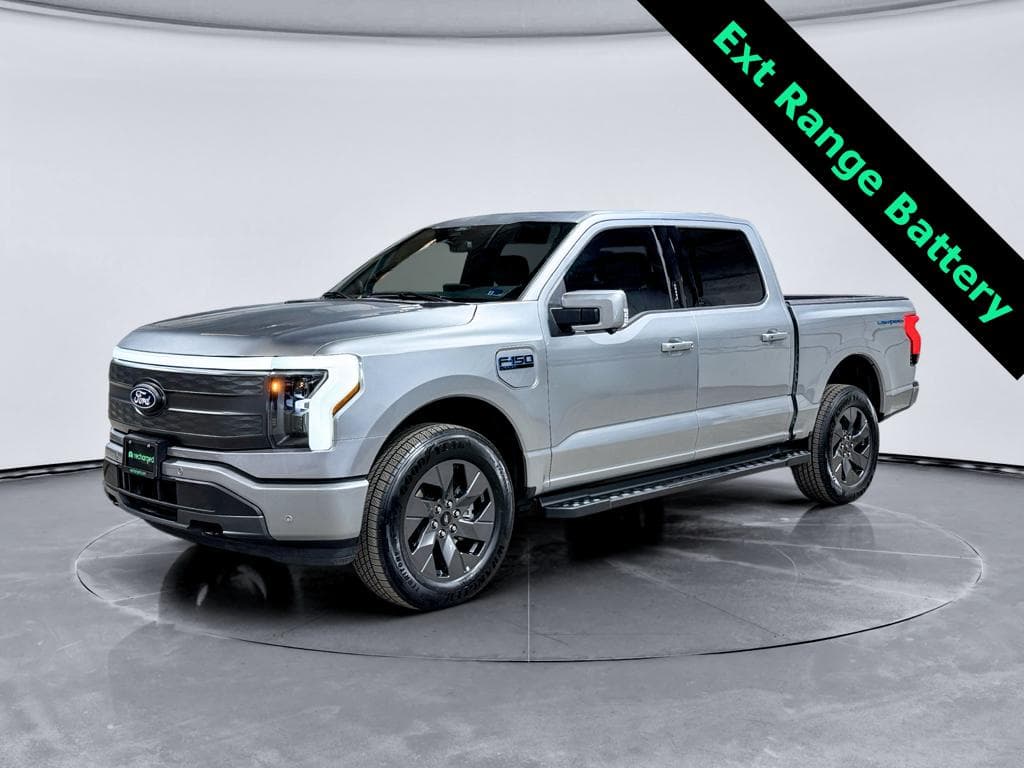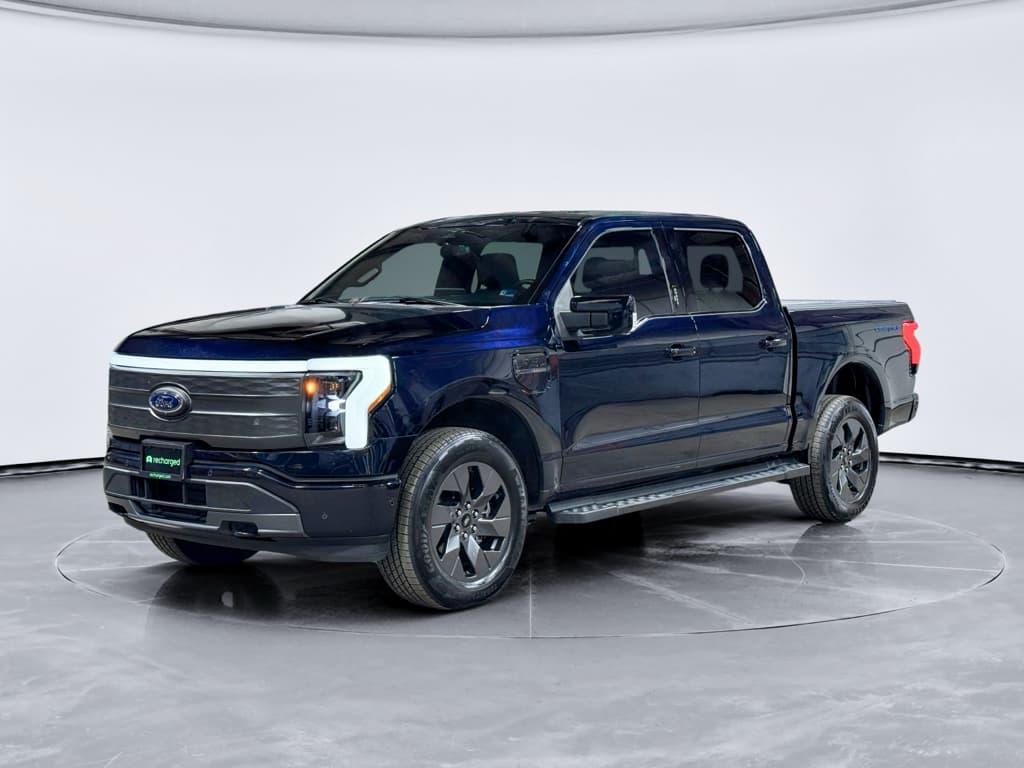
The Ford F-150 Lightning is one of the most important electric trucks on the road: it brings full-size pickup capability into the EV era. But like any first-generation EV from a legacy brand, the Lightning has its share of quirks. Understanding Ford F-150 Lightning common problems and fixes is crucial whether you already own one or you’re shopping the growing pool of used trucks.
Big picture
Ford F-150 Lightning reliability in the real world
From a hardware standpoint, the Lightning’s dual-motor powertrain and battery pack have held up reasonably well so far. Most complaints from owners and survey data cluster around in-car electronics, charging behavior, and suspension or park-system recalls rather than catastrophic drive-unit failures. That’s typical of modern EVs: the computers and connectivity are usually more troublesome than the motors.
F-150 Lightning reliability snapshot
Don’t ignore recall notices
Quick list: Most common F-150 Lightning problems
- Software bugs and connectivity issues (FordPass, modem, Phone as a Key, BlueCruise, random errors)
- DC fast-charging stalls or inconsistent charge speeds, especially at non-Ford networks
- Real-world range drops in cold weather, at highway speeds, or when towing/hauling
- Suspension recalls for loose front upper control arm ball joint nuts (steering control risk)
- Integrated Park Module software recall, where the truck may not stay securely in Park in rare cases
- Frunk (front trunk) hood not opening/closing properly, beeping, or water intrusion into mechanisms
- 12‑volt battery drain causing odd electrical behavior and warning lights
- Fit-and-finish items: interior rattles, body panel alignment, occasional wind noise or water leaks around seals
How to use this guide
1. Software and connectivity glitches
The single most common complaint from Lightning owners is software weirdness: the truck drives fine, but the digital experience occasionally doesn’t. Because so much of the truck runs through a central infotainment stack and a Telematics Control Module (TCM), small bugs can feel big.
Typical software & connectivity symptoms
Annoying more than dangerous, but worth addressing
FordPass & modem issues
- FordPass app can’t connect or shows the truck offline
- Charging status, location, or lock state not updating
- Remote start/lock or Phone as a Key don’t work reliably
Infotainment glitches
- Frozen or blank center screen
- Audio cutting in/out
- Random error pop-ups, especially after updates
Driver-assist quirks
- BlueCruise not available on mapped roads
- Erratic lane-centering behavior
- Warnings that clear after a restart
Why this happens
Owner-level fixes for software & connectivity
1. Check for the latest OTA update
In Settings, verify you’re on the latest Ford software and that automatic updates are enabled. Many early connectivity and driver-assist issues have been smoothed out by updates.
2. Soft-reset the infotainment
On many Lightnings, holding the volume down and next-track buttons on the steering wheel for several seconds will restart the center screen without shutting the truck off.
3. Power-cycle the truck fully
Lock the truck, walk away with all keys, and let it sit for 15–30 minutes so modules can go to sleep and restart. This can clear minor glitches.
4. Hard reset via 12‑volt battery
If problems persist and you’re comfortable with it, disconnect the <strong>negative terminal</strong> of the 12‑volt battery in the frunk for a few minutes, then reconnect. This forces a deeper reboot, but confirm you won’t void any warranties and follow safety steps in the owner’s manual.
5. Re-pair FordPass & Phone as a Key
Delete and re-add your vehicle in the FordPass app and re-run the Phone as a Key setup. Make sure your phone’s Bluetooth and location permissions are fully enabled for the app.
6. Escalate to dealer or Ford support
If warnings recur or driver-assist systems stay unavailable, document with photos, note dates, and schedule a dealer visit. Many software issues are covered under warranty.
2. Charging and DC fast-charging issues
Another cluster of common complaints involves public DC fast charging. Owners report sessions failing to start, stopping early, or delivering slower-than-expected speeds, especially at older third‑party stations. Some of this is on the charging networks, but some is Lightning‑specific behavior or configuration.
- Charging session won’t start or errors out repeatedly
- Charge speed limited well below the truck’s rated peak, even on a high-power charger
- Charging curve tapers early, making road trips slower than expected
- Home Level 2 charging stops unexpectedly or schedules don’t behave as set
First rule of DC fast charging
Things you can check yourself
- Cable & connector fit: Make sure the CCS or NACS connector is fully seated, with no debris in the port.
- State of charge: Peak rates happen when the battery is warm and between ~10–60% state of charge. Above ~80%, tapering is normal.
- Preconditioning: On newer software, routing to a fast charger in navigation can precondition the pack for better speeds.
- Home charging circuit: Verify breaker size, outlet rating, and that nothing else heavy is on the circuit.
When to involve a pro
- Persistent failures on multiple networks in mild weather.
- Repeated charge interruptions at home with a correctly installed Level 2 unit.
- Error codes related to the onboard charger, high‑voltage contactors, or battery management system.
- Any signs of overheating, burning smell, or melting at the charge port or plug, stop charging immediately.
High‑voltage battery manufacturing recall
3. Battery, range, and towing concerns
Almost every Lightning owner discovers that the truck’s real-world range drops more than a gas F‑150’s fuel economy when you add speed, weight, cold, or a trailer. That’s not a Ford-specific defect so much as EV physics, but it becomes a complaint if you weren’t expecting it.
What most affects Lightning range
These factors stack, so plan conservatively
Cold weather
Highway speed
Towing & payload
What owners report
Practical fixes and workarounds for range & towing
1. Right-size your battery
Extended-range Lightnings cost more but provide useful buffer if you tow, live in a cold climate, or regularly drive long distances. For used buyers, this is often the single biggest comfort feature.
2. Adjust speed, not just stops
Slowing 5–10 mph on the highway can reclaim a surprising amount of range and reduce how often you need to DC fast charge.
3. Use trip planning apps
Tools that account for weather, elevation, and trailer weight help avoid unpleasant surprises. Even Ford’s built‑in trip planner is better than guessing.
4. Precondition in winter
Use shore power to warm the cabin and battery before departure. That shifts energy use off the pack and improves early‑drive efficiency.
5. Be conservative when shopping used
If you routinely tow or road trip, avoid bare‑minimum range trims. Ask for real-world consumption records if the seller has them.
4. Suspension and rollaway (Park system) recalls
Unlike the software gripes, the serious F‑150 Lightning issues have mostly come via formal recalls. Two big buckets matter for safety: front suspension and the electronic Park system.
Key Lightning recalls that affect safety
Always verify that any used F-150 Lightning has these recalls completed.
| Issue | Model years affected (examples) | Risk | Typical fix |
|---|---|---|---|
| Front upper control arm ball joint nut may be loose | 2023–2025 (various builds) | Potential separation leading to partial loss of steering control | Dealer inspects torque and alignment; replaces nut and/or control arm/knuckle as needed |
| Integrated Park Module (IPM) may not fully engage Park | 2022–2026 Lightning and other Ford EVs | Truck could roll away if Park isn’t fully engaged and parking brake doesn’t hold | Over-the-air software update, or dealer-installed software update to IPM |
| High-voltage battery cell manufacturing defect | Select 2022–2024 VIN ranges | Internal short circuit and fire risk, especially at high state of charge | Dealer inspects battery array; replaces pack or module as required, plus software updates |
Recall details can vary by model year; always use the official Ford or NHTSA lookup by VIN for the latest information.
How to protect yourself
- No suspension clunks, wandering steering, or pull under braking
- The gear indicator clearly shows Park when selected
- The electronic parking brake holds firmly on a slope
5. Frunk hood and front storage problems
One of the Lightning’s coolest features is its power-operated frunk. Ironically, that’s also a common source of frustration. Owners have reported hoods that won’t open or close under power, chimes that beep excessively, and in some cases water intrusion affecting the mechanism.
- Frunk won’t pop open with exterior button or app
- Frunk closes half-way, then reopens
- Warning messages about hood not latched, even when it appears shut
- Loud beeping every time the frunk operates, annoying in quiet neighborhoods
Simple frunk checks
- Obstructions in the latch area or weatherstripping
- Debris or corrosion on the latch and strikers
- Signs of water accumulation under the frunk carpet or near wiring harnesses
When to DIY and when to see a dealer
1. Adjust your usage
If the powered motion is unreliable but the hood works manually, avoid repeated power cycles until it’s inspected. You don’t want it stuck closed with important items inside.
2. Ask about TSBs
Ford has issued technical service bulletins (TSBs) for certain frunk control module and water-intrusion situations. A dealer can apply updated parts or seals under warranty when applicable.
3. Document recurring failures
Take short videos of the frunk misbehaving. Visual proof makes dealer diagnosis easier and helps you advocate for a lasting repair rather than a temporary tweak.
6. 12‑volt battery and electrical quirks
Like most EVs, the Lightning uses a traditional 12‑volt battery to power control modules, latches, and computers. When that battery gets weak, you can see a cascade of strange behavior long before you get a straightforward “12‑volt low” warning.
- Random error messages that clear after a restart
- Keyless entry or Phone as a Key working intermittently
- Frunk or tailgate not latching correctly
- Infotainment reboots and connectivity drops, especially after the truck has sat for a while
Why the 12‑volt matters more on EVs
12‑volt troubleshooting and maintenance
1. Check battery age and spec
If your truck is more than 3–4 years old on the original 12‑volt, it may simply be time. Confirm the correct battery type and rating before replacement.
2. Test with a multimeter or battery tester
Measure resting voltage after the truck has slept. Repeated readings below healthy levels indicate it’s time to charge or replace the battery.
3. Eliminate parasitic drains
Avoid leaving accessories powered from 12‑volt sockets when parked for long periods. Make sure doors, hood, and tailgate fully latch so modules can sleep.
4. Have the dealer run a full diagnostic
If you suspect a deeper issue, like a module failing to sleep, the dealer can pull logs, check software, and ensure there isn’t a larger electrical problem behind repeated drains.
7. Fit, finish, and hardware niggles
Not every complaint is dramatic. Owners have also reported a grab bag of build-quality issues that will feel familiar if you’ve owned recent Ford trucks: panel gaps, interior rattles, and the occasional leaky seal.
Minor issues to watch for on a test drive
Individually small, collectively annoying
Wind & road noise
Water leaks
Door locks & handles
The good news
Maintenance, fixes, and owner strategies
Living happily with a Lightning is less about replacing expensive EV components and more about staying ahead of software, recalls, and simple inspections. A few habits go a long way.
Smart ownership habits for F-150 Lightning drivers
1. Keep software current
Enable automatic over-the-air updates and only delay them when absolutely necessary. Many Lightning annoyances have been reduced with each software revision.
2. Schedule recall checks twice a year
Make it a habit to run your VIN through Ford’s recall lookup or NHTSA a couple of times a year. EVs, especially early builds, tend to collect campaigns as automakers learn from the field.
3. Protect the high-voltage battery
Avoid leaving the truck at 100% charge for days, and don’t frequently discharge to near 0% unless necessary. For daily use, 20–80% is a healthy target window if your routine allows.
4. Treat the 12‑volt as a wear item
Plan to test or replace the 12‑volt battery proactively rather than waiting for mysterious gremlins. It’s cheap insurance compared with losing a weekend trip to a no-start.
5. Use quality charging hardware
A well-installed Level 2 charger on an appropriate circuit dramatically improves the ownership experience and reduces the number of weird, under‑voltage behaviors you’ll see.
Where Recharged fits in
Buying a used F-150 Lightning: What to look for
The used Lightning market is growing quickly as early adopters trade up or move on. That creates opportunity, EV trucks depreciate faster than their gas counterparts, but also risk if you buy blind. Here’s how to stack the deck in your favor.
Key checks for a used Lightning
Focus on the things you can’t easily see in a photo gallery
1. Battery health & usage history
- Ask for any available battery health reports or DC fast-charging history.
- Look for consistency between the displayed range at 100% and the original rating.
- On a Recharged vehicle, review the Recharged Score to see measured battery health vs. peers.
2. Recalls & service history
- Run the VIN through Ford/NHTSA recall tools.
- Ask for service records, especially for suspension, Park module, and high-voltage battery work.
- Confirm software is up to date at delivery.
3. Charging behavior
- Test both Level 2 and DC fast charging if possible.
- Look for errors, abnormal noises from the charge port, or erratic charge rates.
- Check the condition of the included charge cable.
4. Cosmetic and structural condition
- Inspect panel alignment, paint, and evidence of accident repair.
- Check underbody for off-road abuse or corrosion.
- Listen for suspension rattles over rough roads.
Test-drive checklist for a used F-150 Lightning
1. Cold start and wake-up
Does the truck wake cleanly with no forest of warning lights? If multiple systems complain, suspect a weak 12‑volt or unresolved software issues.
2. Highway drive
Take it to typical highway speeds. Listen for abnormal wind noise, feel for vibration, and see if driver-assist features behave as expected.
3. Full-lock turns & braking
In a parking lot, do tight turns and moderate-to-hard stops. Any clunks, pops, or directional instability deserve a suspension inspection.
4. Electronics stress test
Use navigation, audio, Bluetooth calls, and FordPass remote commands during the visit. You’re trying to provoke, in a controlled setting, the glitches owners report day-to-day.
5. Charging demo
If the seller is willing, plug into a Level 2 charger and watch the first 5–10 minutes. You’re looking for consistent ramp-up, no error messages, and normal cable temperature.
Why buy through Recharged
Ready to find your next EV?
Browse VehiclesFord F-150 Lightning common problems: FAQ
Frequently asked questions about F-150 Lightning problems
Bottom line: Is an F-150 Lightning a bad bet?
The Ford F-150 Lightning isn’t a trouble-free appliance, and early owners have absolutely helped Ford debug software, electronics, and hardware details. But the truck’s core EV drivetrain and battery technology have held up better than the recall headlines suggest. If you go in with clear eyes, knowing the common problems, verifying recalls, and prioritizing battery health, a Lightning can be a deeply satisfying pickup for daily duty, home improvement runs, and moderate towing.
If you’re considering a used F-150 Lightning, working with an EV‑focused retailer like Recharged gives you visibility into battery health, charging behavior, and unresolved issues before you commit. That transparency, plus a thoughtful test drive and a bit of ongoing software vigilance, turns a complex first-generation EV truck into a very manageable ownership experience.