
If you own, or are shopping for, a Cadillac Lyriq, battery health sits right at the top of your worry list. The good news: GM’s Ultium pack in the Lyriq was engineered to last, and Cadillac backs it with an 8‑year/100,000‑mile battery warranty with capacity coverage. The better news is that you can do a surprisingly effective Cadillac Lyriq battery health check yourself with a few built‑in screens and a simple road test.
Ultium packs age slowly, but not never
Why Cadillac Lyriq battery health matters, especially used
For a new Lyriq, checking battery health is mostly about peace of mind and building a baseline. For a used Lyriq, it’s about protecting your wallet. The high‑voltage battery is the single most expensive component on the vehicle, and real‑world range is what makes an EV livable every day.
Battery health affects more than just range
Three big reasons to pay attention on a Cadillac Lyriq
Usable range
A Lyriq with a healthy pack will still deliver range close to its original EPA estimates in normal conditions. Noticeable range loss can signal accelerated degradation or another problem.
Resale value
Battery condition is quickly becoming a major driver of used EV pricing. A documented healthy pack makes your Lyriq easier to sell and worth more money.
Long‑term confidence
Knowing where your battery stands against Cadillac’s 8‑year/100,000‑mile warranty and 75% capacity guarantee helps you plan how long to keep the vehicle.
Used‑shopping shortcut
What “battery health” actually means on a Lyriq
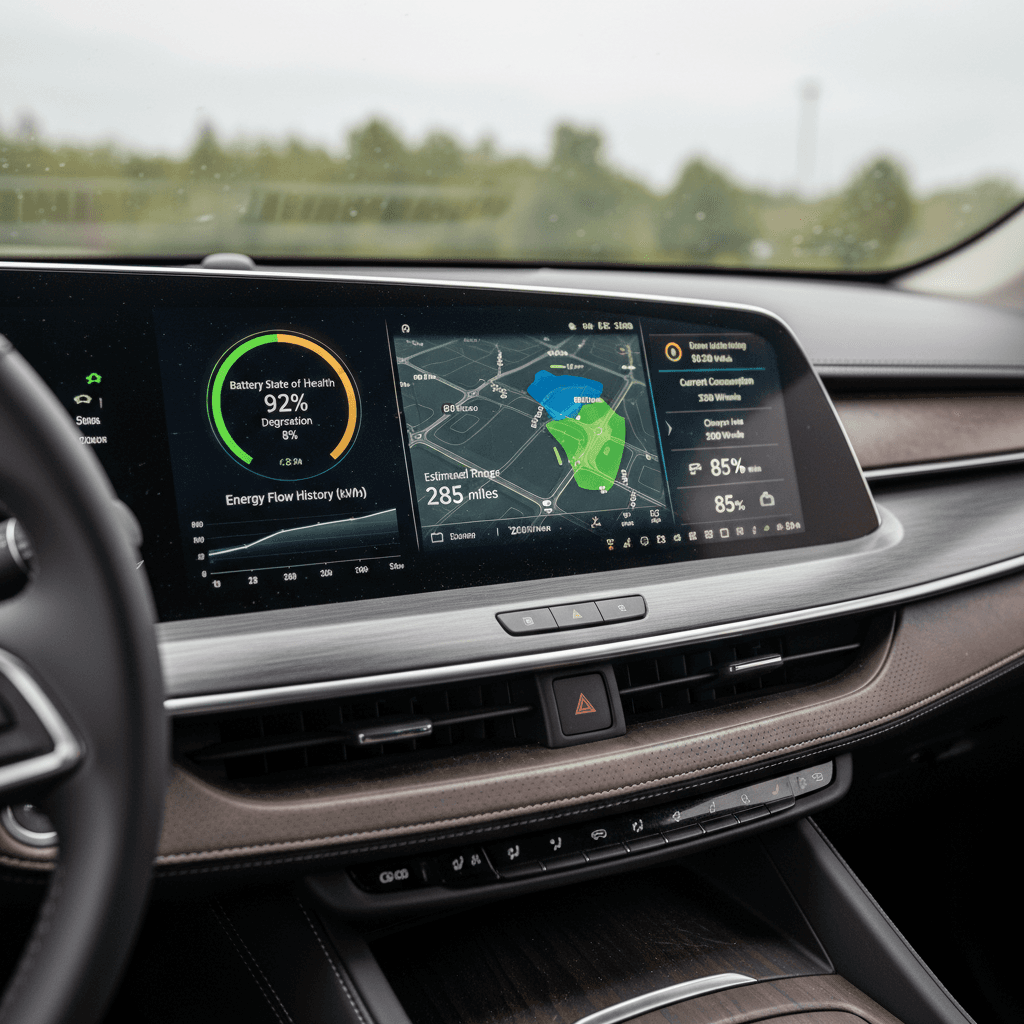
On paper, battery health is usually described as State of Health (SOH), the remaining usable capacity of the pack compared to when it was new, expressed as a percentage. Cadillac doesn’t show “SOH” as a standalone number on your dash, but it does give you a very helpful proxy: Battery Capacity in the vehicle’s information screens.
- The Lyriq’s Ultium pack is rated at roughly 102 kWh of energy when new, depending on model year and market.
- Cadillac’s battery warranty promises repair or replacement if usable capacity falls below 75% of original during the warranty period, as measured by a certified service center.
- Real‑world owners and fleet data so far suggest Lyriqs are retaining very high capacity over their first years on the road, thanks to conservative buffers and active thermal management.
Don’t obsess over one number
Quick Cadillac Lyriq battery health check (5-minute version)
If you’re standing in a driveway looking at a Lyriq, especially one you might buy, this is the fastest, low‑drama battery health check you can do without tools:
5-minute Lyriq battery health sanity check
1. Note state of charge and estimated range
With the car awake, look at the battery percentage and the estimated range on the driver display. A healthy Lyriq that’s, say, at 60% should still be showing a range that roughly lines up with its EPA rating once you scale for percentage and driving conditions.
2. Open the Energy/Vehicle Info screens
On the center screen, open the <strong>Vehicle Info</strong> or <strong>Energy</strong> app. Look for any obvious battery‑related alerts or warnings. These are rare but important if they appear.
3. Glance at recent efficiency
In the Energy Usage/Efficiency view, check the recent <strong>mi/kWh or kWh/100 mi</strong>. If it’s wildly worse than similar EVs in the same conditions, you’ll want a deeper look.
4. Ask about DC fast‑charging history
Frequent 100% DC fast charges in hot climates can age any battery faster. A car that mostly lives on home Level 2 charging is a better long‑term bet.
5. Check for software and warning history
Ask the owner or dealer about past battery warnings, 12V issues, or software updates. A history of recurring faults is more worrying than a single, resolved event.
If this quick check looks normal…
Full step-by-step Cadillac Lyriq battery health check
When you have the time, this is how to perform a more complete Cadillac Lyriq battery health check using only the car’s built‑in tools and a simple drive. Try to do this in mild weather (roughly 50–80°F) and avoid big elevation changes if you can, just to keep things consistent.
Before you start: ideal conditions for meaningful results
1. Capture the official Battery Capacity reading
Cadillac quietly gives you a window into how much energy your Lyriq thinks it’s carrying.
- Park the vehicle on level ground and make sure it’s in P.
- On the center display, open the Vehicle Info or Energy app (naming can vary slightly by software version).
- Look for a tile or page showing Battery Capacity or similar wording. Some Lyriqs display both “at delivery” and “current” values.
- Take clear photos or write down both numbers, along with your odometer reading and the date.
Why this matters
2. Verify range at a known state of charge
Next you want to see whether the car’s projected range lines up with what a healthy Lyriq should deliver.
- Charge the car to a consistent target, 80% is ideal for daily use and testing.
- Note the estimated range at 80%. For a rear‑wheel‑drive Lyriq with an EPA rating in the low‑300‑mile range, you’d expect something in the ballpark of 230–260 miles at 80% in mild weather, assuming your recent driving isn’t all high‑speed or in deep winter.
- Write down the percentage and the range estimate. If you’re checking a used vehicle on a dealer lot, even a single snapshot at whatever SoC it’s at is still useful data.
Watch out for driving‑style bias
3. Do a simple controlled road test
Now you’re going to see how the battery behaves in the real world over a short trip.
How to run a quick Lyriq road test
Start from 70–80%
Pick a convenient starting point, say, 80%. Note the percentage and trip odometer. Zero the trip meter if needed.
Drive 20–40 miles normally
Use your regular mix of city and highway. Avoid extreme acceleration or crawling traffic jams if you can; you want “typical” driving.
End around 40–60%
When you’ve driven 20–40 miles, note the new SoC and the miles driven. For example: 32 miles driven, SoC dropped from 80% to 60%.
Estimate effective full‑pack range
If 20% of the battery got you 32 miles, then 100% would be about 160 miles in those exact conditions. Compare that to the model’s EPA range and what other Lyriq owners report in similar weather and speeds.
4. Check recent efficiency and energy usage
On the Energy Usage/Efficiency screens, Cadillac lets you see how many kWh per 100 miles (or mi/kWh) you’re using. This tells you whether poor range is battery‑related or just the result of heavy feet and big wheels.
- Open the Energy or Efficiency page on the center display.
- Look at your recent average, something around 2.5–3.3 mi/kWh (or roughly 30–40 kWh/100 mi) in mixed driving is typical for a mid‑size luxury EV like the Lyriq.
- If your efficiency is normal but your range feels short, that’s more likely to be degraded capacity, or an error in the car’s own estimate. If efficiency is terrible, start by looking at tires, cargo weight, and driving style.
5. Pay attention to charging behavior
Charging patterns can quietly reveal battery issues long before a warning light appears.
- On a familiar DC fast charger, watch how quickly the Lyriq ramps to its expected peak power at low to mid state of charge.
- A healthy pack should accept strong power early, then gradually taper as you climb past roughly 60–70% SoC.
- Note any repeated fault codes, sudden drops in power, or stalls at low kW that aren’t explained by a busy or malfunctioning charger.
6. Log your results and repeat periodically
Battery health is a story, not a snapshot. Your best friend is a simple log.
- Create a note or spreadsheet with columns for date, odometer, Battery Capacity reading, starting/ending SoC, miles driven, and weather.
- Repeat the check two or three times a year, or after major software updates.
- You’re looking for steady trends, not tiny one‑off wiggles. A slow, gentle drift is normal; sharp steps usually deserve attention.
How to interpret your Lyriq battery health results
Once you’ve gathered some data, you need to decide whether your Lyriq is aging gracefully or raising its hand for help. Here’s how to read the tea leaves without overreacting.
Cadillac Lyriq battery health: what’s normal vs. a red flag?
Use your Battery Capacity reading, real‑world range, and efficiency to get a rough sense of pack condition.
| What you see | What it usually means | What to do next |
|---|---|---|
| Battery Capacity within ~5–8% of delivery value, range feels normal | Typical early‑life degradation and software calibration | Relax. Keep logging a couple of times a year and stick to good charging habits. |
| Battery Capacity down 10–20%, but range and efficiency look reasonable | Moderate aging or conservative software estimates; still within many owners’ comfort zones | Watch trends. Consider a dealer visit if the decline continues or you notice meaningful range loss. |
| Estimated range suddenly drops 20–30% with no driving‑style change | Possible sensor/software glitch, unexpected degradation, or an unreported issue | Repeat your test in a few weeks. If it persists, book a diagnostic appointment. |
| DC fast‑charging speeds much slower than other Lyriqs on same charger, plus range loss | Potential thermal or pack‑health problem | Capture photos and charging logs and talk to a dealer or specialist. |
| Capacity under 75% within warranty period, confirmed over time | Below Cadillac’s battery capacity coverage threshold | Escalate to a Cadillac dealer for official diagnostics and potential warranty remedy. |
This table is guidance, not a warranty decision. Cadillac’s official judgment is based on its own diagnostics.
Warranty limits are hard lines, not goals
Advanced tools: OBD, apps, and third‑party battery reports
If you like data, or you’re evaluating a used Lyriq long‑distance, you can go deeper than the factory screens. Just remember that all of these tools are supplements, not replacements, for Cadillac’s own diagnostics.
Three ways to go beyond the built‑in screens
For owners who want extra confidence (or extra graphs)
OBD-II dongle + app
Some owners use a Bluetooth OBD-II dongle and EV‑focused apps to read live battery data such as pack voltage, energy content, and sometimes cell voltages. This can give you a closer look at usable kWh.
Only use well‑reviewed hardware and apps, and never leave a dongle plugged in permanently if the manufacturer advises against it.
Third‑party battery reports
Services that connect to your Lyriq via the cloud can estimate battery health and compare you to similar vehicles. They’re helpful for long‑term tracking or when buying a used car from afar.
Independent inspections
Some EV‑specialist shops and marketplaces, like Recharged, use professional diagnostics and drive‑cycle testing to create an objective battery health report and score for used Lyriqs.
Don’t argue with the dealer… yet
Daily habits to keep your Lyriq battery healthy
Battery health checks are only half the battle. The other half is building habits that keep you from needing a new pack in the first place. Cadillac already bakes some of this into its guidance: keep the high‑voltage battery above very low states of charge, avoid living at 100%, and let the car manage its own temperature.
Simple habits that pay off in long‑term battery health
Aim for 20–80% for daily use
Set your charge limit around <strong>80%</strong> for routine driving, and avoid sitting at 0–10% for long stretches. Use 100% only when you need maximum range soon after charging.
Prefer Level 2 at home
Regular overnight charging on a <strong>240V Level 2 charger</strong> is gentler on the pack than constant DC fast charging. It also gives the car time to balance cells and manage temperature.
Let the car stay plugged in
Cadillac recommends keeping the Lyriq plugged in when parked at home so it can maintain optimal battery and even support the 12V system. That’s healthy behavior, not overcharging.
Watch heat more than cold
Extreme heat accelerates battery aging. If you live in a hot climate, park in shade or garages when you can, and avoid repeated back‑to‑back fast charges in high temperatures.
Check tires and alignment
Under‑inflated tires and poor alignment drag your efficiency down, which can mimic range loss. Keeping rolling resistance in check protects both your energy usage and your sanity.
Double‑check charge limits in car and app
When to involve a Cadillac dealer, or Recharged
Most Lyriq owners will never see a high‑voltage battery problem. But if your logs tell a different story, you shouldn’t go it alone. Here’s when to bring in reinforcements.
When to call a Cadillac dealer
- You’re still within the 8‑year/100,000‑mile battery warranty and believe capacity is dropping quickly.
- You’ve captured repeatable evidence of range loss, slow charging, or warnings over several weeks.
- The car has thrown battery‑related error messages, refused to fast charge, or gone into limited‑power modes.
Bring your notes, photos of Battery Capacity readings, and any charging logs. The more organized you are, the easier it is for a technician to see what you’re seeing.
Where Recharged fits in
- You’re shopping for a used Lyriq and want an objective view of battery health before you buy.
- You’re selling your Lyriq and want to demonstrate pack condition to buyers.
- You’d rather have an EV‑specialist guide you through what’s normal vs. a problem.
Every Lyriq sold through Recharged includes a Recharged Score Report with verified battery diagnostics, fair‑market pricing, and expert guidance. You get the data, and someone to interpret it with you.
A modern EV battery should be the most boring part of your ownership experience. If it’s constantly on your mind, that’s your cue to collect hard data and get a second opinion.
FAQ: Cadillac Lyriq battery health checks
Common questions about checking Cadillac Lyriq battery health
Bottom line: A healthy Lyriq pack should feel boring, in a good way
A Cadillac Lyriq with a healthy battery doesn’t call attention to itself. It quietly delivers the range you expect, charges at normal speeds, and shrugs off years of commuting and road trips. By learning where to find Battery Capacity on the screen, how to run a simple road test, and how to build battery‑friendly charging habits, you can keep it that way for a long time.
And if you’re eyeing a used Lyriq, don’t let battery uncertainty scare you off. With structured checks like the ones in this guide, and, when you want backup, a professional Recharged Score battery health report, you can separate the truly healthy cars from the ones that deserve a tougher conversation on price or a pass altogether.