If you’re eyeing a 2022 Rivian R1S, or already own one, you’re probably wondering what real-world problems early owners are seeing and how hard they are to fix. The 2022 model year was the R1S launch run, so it combines cutting-edge tech with the typical teething issues of a brand-new EV platform. This guide walks through the most talked-about 2022 Rivian R1S problems and fixes, and what to watch for when you’re shopping used.
Early-build SUV, early-adopter learning curve
Why focus on 2022 Rivian R1S problems?
The 2022 R1S is the three-row sibling to the R1T pickup, sharing the same skateboard platform, battery packs, and quad-motor powertrain. For used shoppers, that’s good news: complaints and fixes from both vehicles often apply across the lineup. At the same time, the R1S adds its own quirks, especially around the liftgate, third-row seals, and interior electronics, that are important to understand before you sign anything.
2022 Rivian R1S ownership snapshot (early trends)
Overview: How reliable is the 2022 R1S so far?
What’s generally going right
- Battery packs and motors have held up well so far, with few widely reported catastrophic failures.
- Performance and off-road capability continue to impress; many owners use the R1S hard and still love it.
- Over-the-air (OTA) updates have fixed numerous bugs and added features, so the driving experience has improved over time.
Where early problems show up
- Software glitches that temporarily affect screens, apps, and sometimes drive modes.
- Build-quality items like trim fitment, weatherstripping, and squeaks or rattles.
- Suspension and ride issues on vehicles that see frequent off-road or heavy towing use.
Keep model-year context in mind
Battery and charging issues
The battery pack is the most expensive component in the R1S, so it’s the first area used buyers worry about. The good news: there’s no widespread pattern of 2022 R1S packs failing outright. Instead, the most common complaints involve range expectations, charging behavior, and software-estimated range.
- Range that feels lower than the EPA rating in cold weather or at highway speeds.
- Charging curves that slow earlier than expected on DC fast chargers when the pack is hot or nearly full.
- Occasional charge-session interruptions at certain public fast-charging networks.
- Home charging hiccups related more to wiring or wall units than the vehicle itself.
Battery behavior vs. battery health
Common 2022 R1S battery & charging complaints and practical fixes
What you can do as an owner, or as a used buyer evaluating a specific vehicle
“I’m not getting the rated range”
Likely causes: High speeds, cold weather, cargo box, or aggressive driving.
Fixes:
- Compare energy use (kWh/100 mi) to other owners in similar conditions.
- Remove unnecessary roof accessories for long trips.
- Use preconditioning and Eco/Conserve drive modes for efficiency.
DC fast charging slows early
Likely causes: Battery temperature, high state-of-charge, or station limitations.
Fixes:
- Arrive at fast chargers with 10–20% state-of-charge when possible.
- Use built-in trip planning so the pack preconditions before arrival.
- Target charging from ~10% to ~70%, where the curve is strongest.
Home charging problems
Likely causes: Home wiring, breaker limits, or third-party wall units.
Fixes:
- Verify the circuit is correctly sized and installed by a licensed electrician.
- Dial back the amperage in the R1S charging settings and test again.
- If you’re shopping used, ask for documentation on any home charger issues.
When battery issues are a red flag
Software bugs and infotainment glitches
If the R1S has a reputation, it’s that of a rolling software project. OTA updates add features and polish, but 2022 owners have also seen infotainment crashes, camera feed delays, and occasional warnings that clear with a reboot. Most of these are annoyances rather than safety issues, but they’re worth understanding if you want a drama-free daily driver.
- Center screen freezing or going blank while driving, then rebooting itself.
- Bluetooth or phone-as-key connectivity issues, especially after phone OS updates.
- Slow boot-up times on cold mornings before cameras or climate respond normally.
- Random error messages that clear after a shut-down and restart.
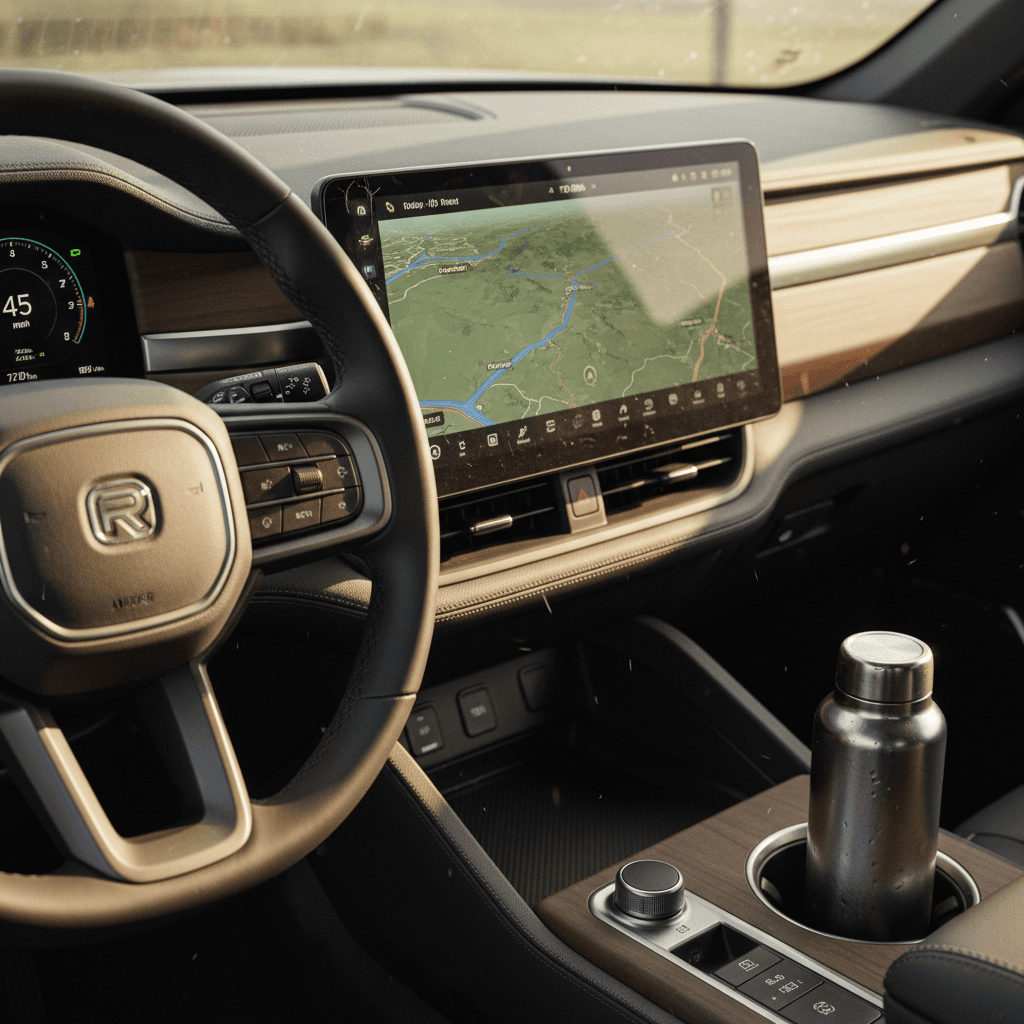
Quick fixes for common R1S software hiccups
1. Perform a soft reboot
Use the steering wheel buttons (per owner’s manual) to reboot the main screen while parked. Many minor glitches clear with a soft reset.
2. Check for pending OTA updates
In the settings menu, look for available software updates. Installing the latest version can resolve known bugs reported by other 2022 owners.
3. Power the vehicle fully down
If you have recurring warnings, park safely, exit the vehicle, lock it, and give it several minutes to go to sleep before re-entering and restarting.
4. Clear and re-pair your phone
For phone key or Bluetooth issues, delete the existing profile on both the vehicle and your phone, then set it up from scratch.
5. Document repeatable bugs
If a bug happens the same way every time, say, when using a particular app or feature, record video and timestamp it. That helps Rivian service and can speed up fixes.
The upside of software-centric vehicles
Suspension, ride quality, and off-road wear
The R1S’s air suspension and adjustable ride height are big reasons buyers choose it over more conventional three-row EVs. But they also introduce more complexity. On 2022 models, the most common suspension complaints involve clunks over bumps, uneven ride height, and accelerated wear on heavily off-roaded trucks.
Typical 2022 R1S suspension symptoms and likely causes
These aren’t guaranteed diagnoses, but they reflect patterns seen across early owners.
| Symptom | Potential cause | What to ask or check |
|---|---|---|
| Clunking over low-speed bumps | Loose suspension hardware, worn bushings, or early damper wear | Has any suspension work been done? Inspect for leaks, loose fasteners, or non-OEM parts. |
| Vehicle sits unevenly side to side | Air spring or level sensor issue, or prior collision damage | Check ride height in different modes and look for accident repairs or underbody damage. |
| Harsh or bouncy ride in certain modes | Incorrectly calibrated suspension, software mismatch, or non-stock tires | Test drive in all modes. If you’re buying used, scan for software and calibration updates in service history. |
| Alignment pulls or rapid tire wear | Off-road use, curb strikes, or towing loads beyond recommendations | Inspect tire wear patterns, ask for alignment records, and look for gouged wheels or suspension components. |
Always have a qualified technician confirm any suspension concern, especially on a lifted or off-road-modified R1S.
How to test R1S suspension on a test drive
Build quality, water leaks, and wind noise
Early Rivians rolled out of a new factory with new processes, and that shows in some 2022 R1S build-quality complaints. Most are minor, think panel gaps, misaligned trim, and cabin rattles, but you’ll also see owner reports about water leaks around the liftgate or glass, and wind noise from door seals or roof rails.
High-payoff build-quality checks on a used 2022 R1S
15 minutes can reveal a lot about how well a particular SUV has held up
Water intrusion
- Check the rear cargo floor and under the third-row seats for damp carpet, stains, or musty smells.
- Inspect headliner edges around the windshield and glass roof for water marks.
- Ask the seller about any prior glass or seal replacements.
Wind noise at speed
- On a highway test drive, listen near the A-pillars and panoramic roof.
- Check door seals visually for tears, flat spots, or poor adhesion.
- Look for aftermarket roof accessories that may add noise.
Interior squeaks & rattles
- Drive over uneven pavement with the audio off.
- Note any recurring buzzes in the dash, door panels, or hatch area.
- Rattles aren’t necessarily deal-breakers, but they can hint at prior disassembly or rough use.
When build issues hint at bigger problems
Driver-assistance and safety system quirks
Rivian’s Driver+ suite (adaptive cruise, lane keeping and more) relies on camera and radar data plus software that was still maturing in 2022. Owners report three main issue clusters: overly cautious braking, lane-keeping that feels inconsistent, and driver-assist features that disengage in poor weather or on unclear road markings.
- Unexpected deceleration when adaptive cruise misreads a vehicle or curve ahead.
- Driver+ refusing to engage due to blocked sensors, dirty cameras, or poor lane lines.
- Steering-assist behavior that feels "ping-pongy" between lane markings on some roads.
How to evaluate Driver+ on a test drive
1. Confirm current software
In the settings, verify the R1S is on a recent software build. Older firmware can feel very different from the latest tuning.
2. Test on a divided highway
Engage Driver+ where lane lines are clear and traffic is moderate. Note how smoothly it accelerates, brakes, and tracks the center of the lane.
3. Try light curves and lane changes
Watch for overly abrupt braking entering curves, and make sure the system signals and behaves predictably when you change lanes with driver input.
4. Check warning behavior
You should get clear visual and audible alerts when you need to take over, not sudden, silent disengagement.
Don’t treat Driver+ as autonomous driving
Known recalls and service campaigns
As with any new model, the 2022 Rivian R1S has seen a handful of recalls and service campaigns addressing specific components and assembly processes. These have ranged from hardware fasteners to seatbelt and airbag-related items on the R1 platform. The details change as regulators and Rivian update their documentation, so you’ll want to check by VIN for the latest status.
- Fastener-related recalls (such as suspension or steering components) that required inspection and, in some cases, tightened or replaced hardware.
- Seatbelt and airbag system checks to ensure components were assembled to spec.
- Software-related campaigns where Rivian pushed OTA updates to prevent or resolve safety-related behaviors.
How to check recall status on a 2022 R1S
Diagnosing a used 2022 R1S: Pre-purchase checklist
If you’re shopping for a used 2022 Rivian R1S, your goal is to separate normal first-generation EV quirks from warning signs that point to abuse, poor repairs, or looming big-ticket costs. Use this checklist as a structured way to evaluate any candidate R1S before you make an offer.
High-impact checks before you buy a 2022 R1S
1. Battery health and charging history
Ask for any battery health reports and note typical charging habits (home vs. DC fast charging). A third-party battery diagnostic, like the <strong>Recharged Score</strong>, can quantify remaining pack capacity.
2. Software version and update history
Confirm the vehicle is running a recent software build and ask whether the prior owner installed updates promptly or let them pile up.
3. Suspension and underbody condition
Inspect for scrapes, dents, or rust on skid plates and suspension arms, especially if the seller highlights off-road use. Excessive underbody damage can foreshadow alignment and noise issues.
4. Interior electronics and screens
Cycle every major function: HVAC, seats, cameras, audio, Driver+, window switches, and both screens. Persistent glitches may point to hardware issues, not just software.
5. Water leaks, smells, and noise
Look for damp carpet, musty odors, and staining. On the road, listen for whistle-type wind noise and rattles from the roof and hatch area.
6. Service records and recall completion
Ask for a full service printout: what was done at Rivian service centers, what was done at independent shops, and which recalls or campaigns were completed when.
How Recharged evaluates a used Rivian R1S
Because the 2022 R1S is a complex, high-dollar EV, a surface-level walkaround isn’t enough. At Recharged, every vehicle we list, including Rivian models, goes through a structured inspection that focuses on battery health, safety items, and the software and hardware issues most likely to affect your real cost of ownership.
Inside a Recharged evaluation on a 2022 R1S
What happens before an R1S earns a Recharged Score
Recharged Score battery diagnostics
Component and safety inspection
Software & feature verification
Ready to find your next EV?
Browse VehiclesWhy this matters for a used Rivian
FAQ: 2022 Rivian R1S problems and fixes
Frequently asked questions about 2022 Rivian R1S issues
Is a 2022 Rivian R1S still worth it?
If you’re looking for a three-row EV that can tackle road trips, snow, and genuine off-road trails, the 2022 Rivian R1S remains one of the most compelling options on the market. Yes, there are real problems to understand, from software quirks to occasional build and suspension issues, but most are manageable when you know how to spot them and what fixes are available.
The key is to treat each used R1S as an individual story: how it was driven, how promptly software updates were installed, how recalls and campaigns were handled, and how carefully the prior owner treated a six-figure, first-wave electric SUV. With a thorough inspection, clear records, and an objective battery health report like the Recharged Score, a 2022 R1S can deliver the kind of capability and character that justify its early-adopter roots, without leaving you holding the bag for someone else’s experiment.