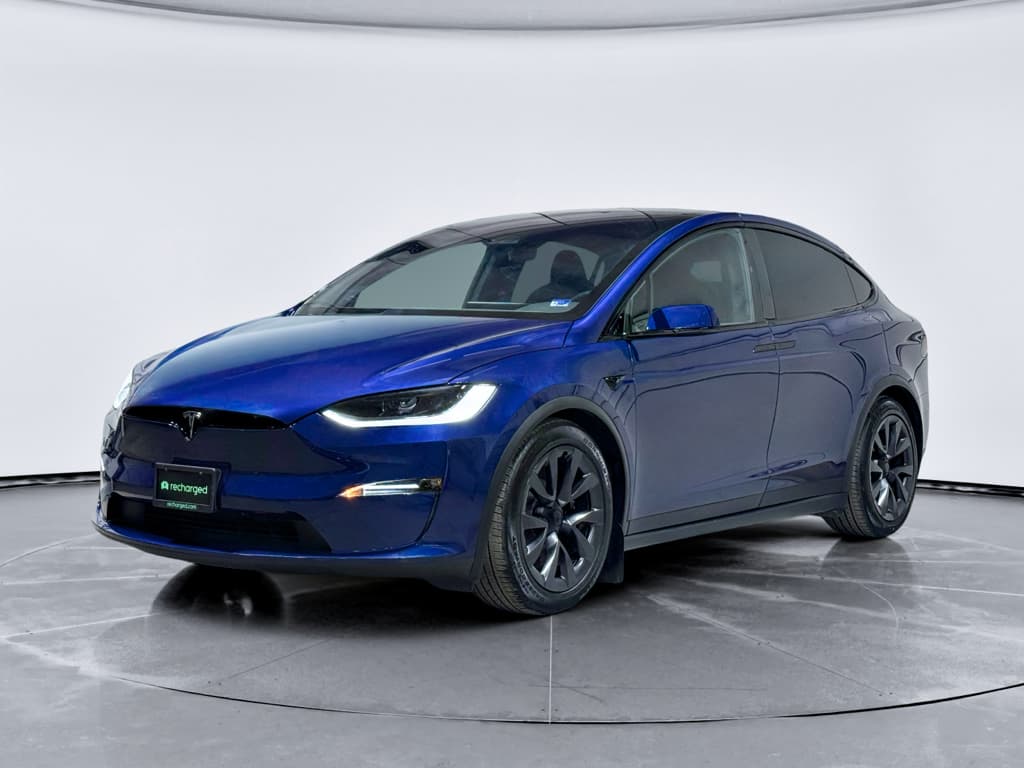
If you’re eyeing a used 2017 Tesla Model X, you’ve probably heard stories about falcon-wing doors that misbehave, expensive suspension work, or center screens that suddenly go dark. The 2017 Tesla Model X has some well‑documented problems, but it also delivers a unique, long‑range electric SUV experience you still can’t easily duplicate in 2026. The trick is understanding which issues matter, what’s been fixed, and what to look for before you buy.
Snapshot: 2017 Tesla Model X
Should you worry about 2017 Model X problems?
You should treat any 2017 Tesla Model X as a **high-tech luxury SUV with first‑generation quirks**, not as a set‑and‑forget appliance. Early reliability surveys from outlets like Consumer Reports rated the Model X among the least reliable new vehicles, citing build quality, door hardware, and electronics. At the same time, real‑world data shows **battery packs aging better than many buyers fear** and overall defect rates that aren’t dramatically worse than other 2017 premium SUVs once the cars are a few years old.
If you understand the common 2017 Tesla Model X problems, and you’re willing to sort the good cars from the bad, you can absolutely end up with a fantastic long‑range family EV. The rest of this guide will walk you through the big trouble spots, the recall landscape, and a practical inspection checklist you can use while shopping.
2017 Model X: quick reliability context
2017 Model X reliability at a glance
The good news
- Battery and motors hold up well in most cars, with many high‑mileage Model X vehicles still retaining strong range.
- Fewer issues with engine oil leaks, exhaust, or traditional transmissions, because there aren’t any.
- Over‑the‑air software updates have fixed many early bugs and improved driver‑assist behavior over time.
The not‑so‑good news
- 2017 Model X is known for problems in body hardware, electronics, and doors.
- Multiple NHTSA recalls mean you must verify they’ve been done on any used example.
- Out‑of‑warranty repairs, especially for suspension, MCU, or doors, can be eye‑wateringly expensive compared with mainstream SUVs.
Most common 2017 Tesla Model X problems
Main trouble spots on a 2017 Model X
These are the issues you’ll read about again and again in owner reports and repair invoices.
Falcon‑wing & front doors
MCU & screen failures
Suspension & steering
Multiple recalls
HVAC & seals
Charge port & 12V
Remember: not every car has every problem
Battery health and range on a 2017 Model X
For a 2017 Model X buyer, the big, scary question is usually **battery life**. The reality has been kinder than the headlines. Tesla data and independent analyses suggest that Model S and X battery packs retain around **88% of their original capacity after roughly 200,000 miles** under typical use. That aligns with owner reports of high‑mileage Model X vehicles losing only about 10–15% of range even after several years of hard driving.
- Typical real‑world degradation for a well‑cared‑for 2017 Model X is in the neighborhood of **1.5–2% per year** in the first years, then tapering off.
- A 2017 X 90D rated at ~257 miles new might realistically show **210–230 miles** at 100% charge in 2026, depending on mileage and climate.
- Cars that spent their lives in very hot regions, lived on Superchargers, or were routinely charged to 100% can show **faster degradation**.
How to quickly gauge battery health on a test drive
At Recharged, every used EV we list comes with a **Recharged Score battery health report**, which uses data pulled from the car to estimate remaining capacity. That means you’re not guessing about range; you can see how a particular 2017 Model X compares to similar vehicles.
Software and MCU issues: what to know
Software is both Tesla’s superpower and one of the reasons early Model X owners pulled their hair out. The centerpiece is the **MCU (Media Control Unit)**, the large central touchscreen that runs navigation, climate controls, and a surprising amount of the car’s basic functionality.
MCU1 eMMC wear and “black screen of death”
Most 2017 Model X vehicles shipped with the first‑generation **MCU1**, which uses an 8 GB eMMC memory chip. Over time, repeated logging can wear out that chip. When it fails, owners report symptoms like:
- Screen freezing or staying black at startup
- Loss of rearview camera, climate control, or defrost settings
- Turn signals working mechanically but losing audible click, or losing indicator lights on the display
- Warnings about reduced system functionality or storage errors
Tesla ultimately launched a recall and extended warranty coverage on affected vehicles. Many 2017 Model X cross‑shopped today have already had their **MCU replaced or upgraded to MCU2**, which is faster, more reliable, and supports newer features.
Best‑case scenario
Over‑the‑air updates and Autopilot behavior
Over‑the‑air (OTA) updates can improve a 2017 Model X over time, but they can also introduce new quirks. Owners have reported occasional **phantom braking, inconsistent lane‑keeping, or changes in range estimates** after certain updates. Tesla has also issued software‑based recalls to adjust how Autopilot behaves around intersections and stop controls.
Don’t over‑trust Autopilot
Suspension, steering, and tire wear
If you’ve heard about Model X suspension issues, you’re not imagining things. The 2017 Model X is a heavy, high‑performance SUV riding on wide tires. That’s a recipe for **hard‑working suspension components** and aggressive tire wear even when everything is functioning correctly.
Front fore links, control arms, and ball joints
Tesla and federal safety investigators have examined premature wear and, in rare cases, failure of **front suspension fore links and related hardware** on early Model S and X vehicles. Many owner complaints describe clunks or pops at low speeds, increasing play in the steering, or, at the extreme, a wheel shifting position after a component let go during parking maneuvers.
- Listen for **clunking, popping, or creaking** over driveways and speed bumps.
- Feel for **loose or wandering steering** at highway speeds.
- Visually inspect tires for **uneven wear** on the inner or outer shoulders, which can point to alignment or bushing issues.
Why this matters
Tires, ride quality, and alignment
2017 Model X SUVs on **21‑inch wheels** look fantastic but are notorious for shorter tire life and a firm ride. UK MOT testing data shows a disproportionately high number of **tire‑related faults**, including tread depth issues, on 2017 Model X vehicles compared with other defect categories. That tracks with what owners report: big, heavy EVs eat tires if alignment and rotations aren’t perfect.
Shopping tip: don’t ignore tires
Doors, latches, and weatherstripping quirks
The Model X made headlines for its spectacular **falcon‑wing rear doors** and power‑operated front doors. It also generated stacks of service tickets when those systems didn’t work as planned. Early‑build Model X owners reported doors that refused to open or close, misread obstacles, or chewed on adjacent trim.
Common 2017 Model X door complaints
Most are annoying rather than dangerous, but repairs can be pricey out of warranty.
Falcon‑wing glitches
Front door behavior
Leaks & wind noise
Fixes & updates
When you test a 2017 Model X, cycle every door multiple times, on an incline, in tight spaces, and with passengers, and listen for **binding, popping, or wind noise** on the road. These doors can be repaired, but they’re complex, which means labor time adds up quickly.
Key safety recalls and service campaigns
By 2026, the 2017 Tesla Model X has accumulated roughly **ten NHTSA safety recalls**. Some are software‑only, pushed over the air; others require physical service visits. Highlights include:
- **MCU/eMMC recall** – Addresses center display memory wear that can knock out the rear camera, defrost settings, and turn signals.
- **Parking brake and roll‑away risks** – Early campaigns replaced parking brake components that could fail to hold the vehicle.
- **Power steering assist** – Corrosion on bolts in certain climates could lead to loss of steering assist, making the wheel suddenly very heavy.
- **Autopilot and driver‑assistance behavior** – Software recalls to change how the system handles stops, warnings, and user engagement.
How to check recall status
What to check before buying a 2017 Model X
2017 Model X pre‑purchase checklist
1. Confirm MCU status
Ask for documentation showing whether the **MCU has been replaced or upgraded to MCU2**. If the car still has original MCU1 and the owner reports freezes or black screens, budget for replacement or walk away.
2. Scan for completed recalls
Run the VIN through a recall checker and ask the seller for Tesla service records. Open safety recalls should be handled before delivery; a thick packet of recall paperwork can actually be a good sign that the car’s been brought up to date.
3. Evaluate battery health and range
With the battery warm, check estimated range at 90–100% and compare to the original rating. Look for **gradual, sensible degradation**, not sudden drops or wildly fluctuating estimates, which can point to pack or BMS issues.
4. Inspect suspension and steering
On a test drive, pay close attention to **front‑end noises, steering feel, and tracking**. Afterward, visually inspect tires for uneven wear. Any concerns here justify a professional inspection, suspension work on a Model X isn’t cheap.
5. Stress‑test all doors and seals
Open and close the falcon‑wing and front doors multiple times, test the automatic functions, and check for **water stains or damp carpets** after rain. Listen for wind noise on the highway and ask about past door repairs.
6. Verify charging behavior
Charge the car at home‑level AC and, if possible, at a DC fast charger. Watch for **charge port latching problems, error messages, or unusually slow charging** that might indicate onboard charger or high‑voltage issues.
7. Review service history carefully
Look for regular tire rotations, alignment checks, and warranty work. A 2017 Model X with a **thick, well‑documented service file** is often a safer bet than a low‑mileage car with no paper trail.
Estimated repair costs for common issues
Typical out‑of‑warranty repair costs for 2017 Model X issues
Actual prices vary by region and whether you use Tesla Service or an independent EV specialist, but these ballparks help you budget.
| Issue | Typical Symptoms | Estimated Cost Range | Notes |
|---|---|---|---|
| MCU replacement / upgrade | Black screen, glitches, missing rear camera | $1,500 – $2,500 | Lower end for board repair; higher for full MCU2 upgrade. |
| Front suspension fore links / control arms | Clunks, wandering steering, uneven tire wear | $800 – $2,000 | Cost depends on how many components need replacement and alignment work. |
| Falcon‑wing door hardware | Door won’t fully open/close, noisy operation | $800 – $2,000 per side | Sensor, latch, or strut failures can add up quickly. |
| Door & glass seals | Wind noise, water leaks | $300 – $1,000 | Often a mix of parts and labor to adjust and reseal. |
| HVAC repairs | Weak cooling, fan noises, foggy windows | $400 – $1,500 | Simple cabin filter vs. compressor or valve work. |
| 12‑volt battery replacement | Random warning messages, no‑start conditions | $250 – $450 | Fairly routine on aging Teslas; not unique to Model X. |
All amounts are rough estimates in USD for work done at 2025–2026 rates.
Watch the total cost of ownership
How Recharged helps with used Tesla Model X shopping
Shopping for a 2017 Tesla Model X shouldn’t feel like rolling the dice on a four‑figure repair. At Recharged, every used EV we sell comes with a **Recharged Score Report** that covers battery health, charging performance, and key diagnostics, so you can see at a glance how a specific car stacks up against similar Model X SUVs.
Why shop for a 2017 Model X with Recharged?
We’re built from the ground up around used EV ownership.
Verified battery health
Transparent pricing
EV‑specialist support
Nationwide delivery
Experience Center
Flexible selling options
Ready to find your next EV?
Browse Vehicles2017 Tesla Model X problems: FAQ
Common questions about 2017 Tesla Model X problems
The 2017 Tesla Model X is a first‑generation idea of the future: spectacular to live with when everything works, and undeniably frustrating when it doesn’t. If you go in expecting a complex, high‑tech luxury SUV, not a maintenance‑free gadget, and you use the right inspection lens, you can separate the good cars from the headaches. Tools like detailed service records, recall checks, and objective battery‑health data are your best friends. And if you’d like a guide who’s fluent in both the promise and the pitfalls of used EVs, Recharged is built to walk that road with you.